The Meta Ads Playbook New AI SaaS Startups Use to Get Their First Paying Users
Built for your product category
Turn your product page into category-specific Meta ads
Paste your URL and generate angles, visuals, headlines, and copy grounded in the offer customers will actually see.
Free to try No prompt writing

Want to land your first paying users with Meta ads? Here’s the deal: Meta ads are cost-effective, especially for AI SaaS startups. With click costs as low as $1.50–$2.00 (compared to $5+ on LinkedIn), they’re perfect for tight budgets. But success isn’t about spending more - it’s about smart execution.
This guide breaks down how to:
- Set up proper tracking (Meta Pixel and Conversions API).
- Choose objectives that drive revenue (like Leads or Sales).
- Target cold audiences with niche interests and lookalike audiences.
- Test static ads quickly to avoid delays and ad fatigue.
- Scale campaigns effectively using AI budget allocation by monitoring key metrics like CPA, CTR, and ROAS.
If you’re ready to stop guessing and start building a repeatable system for growth, this is your playbook.
How to launch SaaS Meta ads with $100/day and actually get results
Put the playbook to work
Apply this playbook to your page
Paste your website and the Lab will turn the strategy you are reading into a ready-to-test ads.
Free to try No prompt writing
Step 1: Install Tracking and the Meta Pixel First
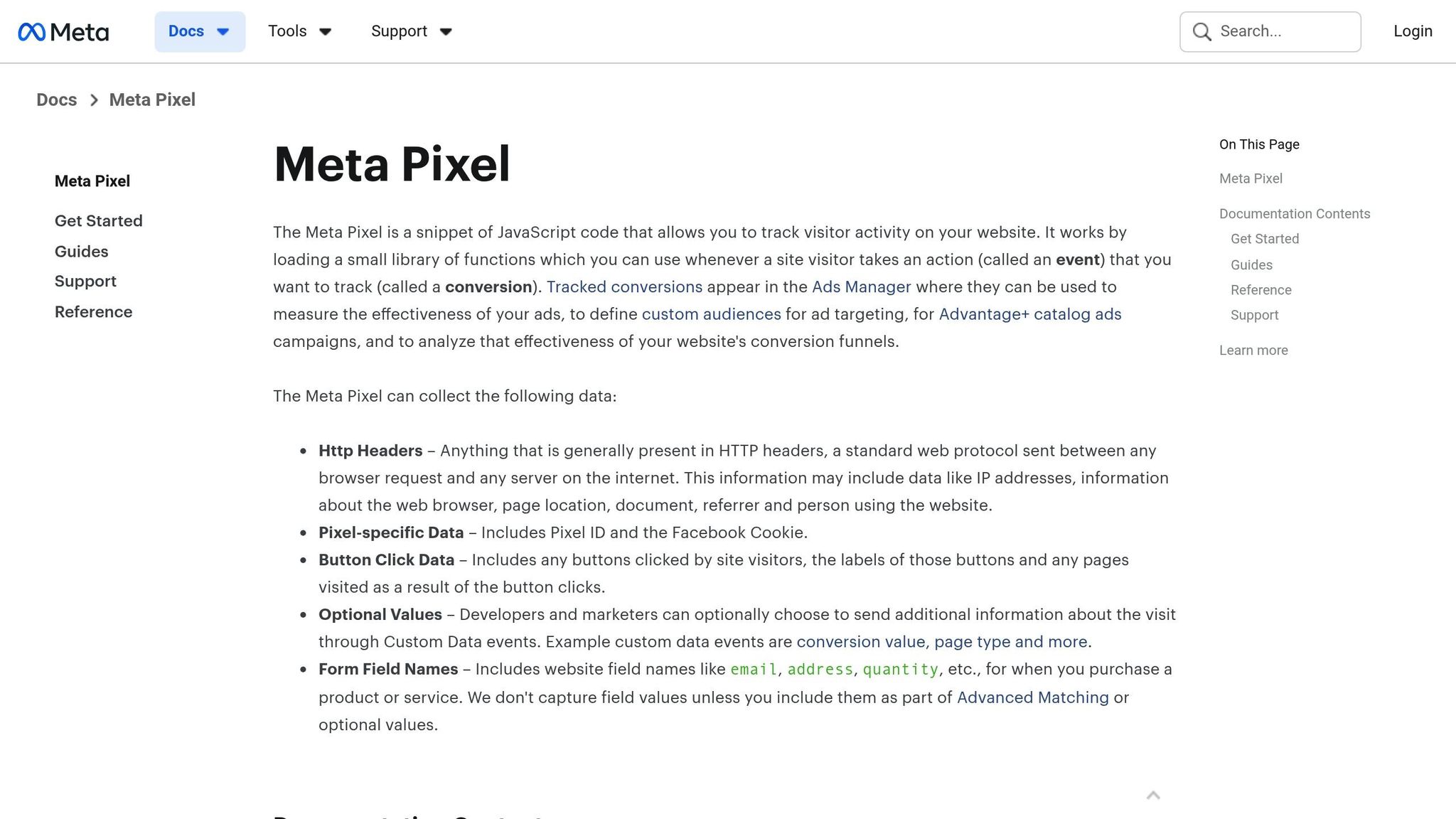
Before launching any Meta ads, make sure to install the Meta Pixel. Without it, you're essentially flying blind, leaving Meta ads automation to optimize your campaigns without any real guidance. The Pixel acts as a critical link, connecting your ad spend to measurable business outcomes - like trial signups or paid subscriptions. By aligning your tracking with actual results, you can ensure that every dollar spent contributes to driving revenue.
The Meta Pixel transforms clicks into actionable insights. Whether someone starts a trial, browses your site, or exits quickly, the Pixel captures this behavior. This data helps Meta pinpoint users who resemble your most valuable customers. Running ads without it is like trying to improve your product without collecting any feedback - it just doesn’t work.
How the Meta Pixel Works
The Meta Pixel is a small piece of JavaScript code that you embed in the <head> section of your website. Once installed, it tracks visitor actions - like viewing pricing pages, starting a trial, or making a purchase. This data flows back to Meta, enabling better campaign optimization, conversion tracking, and audience building.
For AI SaaS startups, this is a game-changer. Imagine a potential customer clicks your ad, reads a blog post, returns a few days later, and finally signs up for a trial. The Pixel connects all these dots, showing Meta which ads are driving real results.
To get started, go to Meta Events Manager, create a new Pixel, and copy the base code provided. Paste this code into the <head> section of every page on your site - not just the homepage. Then, set up standard events like Lead or CompleteRegistration on their respective conversion pages. Meta offers 17 pre-defined standard events that are optimized for its system, so using these will give you the best results.
To combat data loss from ad blockers or iOS privacy updates, implement server-side tracking with Conversions API (CAPI). This approach allows you to recover up to 90% of lost visibility by sending a shared event_id to avoid double-counting.
Before launching your ads, test your setup with the Meta Pixel Helper Chrome extension. This tool ensures that all your events are firing correctly and flags any issues, such as duplicate installations or missing parameters. If the Pixel isn’t functioning properly, you could end up sending Meta inaccurate signals, which can derail your campaigns.
Now, let’s dive into some common tracking mistakes that can throw your campaigns off course.
Tracking Mistakes That Kill Campaigns
Duplicate Pixel Installations
One of the most frequent errors is installing the Pixel multiple times. This often happens when you use both a native integration (like Shopify's Meta app) and manually paste the code. The result? Duplicate conversions that inflate your data and confuse Meta’s algorithm. To avoid this, stick to one installation method and confirm that each event fires only once.
Missing Event Parameters
Another common oversight is failing to include critical event details. For instance, firing a Purchase event without specifying value and currency prevents Meta from accurately calculating your return on investment. Without this data, the algorithm might treat a low-cost trial signup the same as a high-value subscription, leading to poor optimization.
Incorrect Event Placement
Firing events on the wrong page can severely skew your data. For example, if you fire a Purchase event on the cart page instead of the confirmation page, Meta might assume every cart addition is a completed sale. This kind of error distorts your campaign performance metrics. Always ensure events like Lead or Purchase are triggered only after a genuine conversion.
Failure to Deduplicate Data
If you’re using both the Pixel and CAPI, it’s essential to deduplicate your data. Without a shared event_id, Meta may count the same action twice, inflating your numbers and leading to inaccurate campaign optimization. While browser tracking alone leaves gaps, combining it with server-side tracking provides a complete and accurate picture of your campaign performance.
Step 2: Pick Campaign Objectives That Drive Revenue
Once you've set up tracking, the next step is to focus your ad spend on achieving results that actually generate revenue - not just clicks. Meta's algorithm doesn't automatically know your goals; it works based on the objective you choose. If you select the wrong one, you could end up paying for clicks from users who never convert.
Meta's Outcome-Driven Ad Experiences (ODAX) framework ensures the algorithm targets users aligned with your chosen objective. For example, selecting "Traffic" when you need trial signups will attract users who click links but rarely follow through. Essentially, you'll be paying for people browsing without buying.
Here’s how to align your objectives with revenue goals for your AI SaaS.
Which Objectives Work Best
For AI SaaS businesses, the Leads and Sales objectives are the most effective.
- Leads: This captures key information like demo requests, trial signups, or subscriptions. Meta’s Instant Forms make this process seamless by pre-filling user data, reducing friction.
- Sales: This objective drives revenue by focusing on bottom-of-funnel actions, such as starting a paid subscription or completing a high-value conversion. Meta’s algorithm targets users who are likely to make purchases or sign up.
In one SaaS case study, switching to a structured Meta funnel built around the Sales objective led to a 42% decrease in cost per qualified lead and a 27% boost in trial-to-paid conversions within just 90 days.
"If you choose an objective such as 'traffic' when you're looking for 'store purchases,' the algorithm will look for users most likely to click, not users most likely to buy."
- Ana Siu, Content Marketing Expert, Bïrch
While the Traffic objective may increase site visits, it prioritizes clicks over conversions. For startups, this can be a costly mistake. With Facebook's average engagement rate sitting at just 0.063%, it's better to focus on objectives that lead to actual revenue.
Once you've picked the right objective, the next step is to align your conversion event with your revenue goals. This alignment is crucial before you scale winning creatives to maximize your return on ad spend.
Setting Up Your Conversion Event
This is where many startups go off track. Often, they end up tracking low-value actions like page views or link clicks instead of focusing on events directly tied to revenue. From managing over $100M in ad spend, I've seen firsthand how the right objective can make or break a campaign's profitability.
For AI SaaS, prioritize conversion events that are close to a payment stage, such as Trial Signup Completed, Demo Booked, or Subscription Started. These actions are directly linked to paying customers. Avoid generic events like "Add to Cart" or "Content View" unless they’re critical steps in your sales funnel.
When setting up conversion events in Meta Events Manager, use Meta’s standard events like Lead or CompleteRegistration, and include essential parameters like value and currency. These standard events integrate seamlessly with Meta's system and generally outperform custom events.
If you're using a CRM like HubSpot or Salesforce, connect it to Meta Ads. This integration allows you to track how leads move through your sales funnel and assign revenue to specific campaigns. To refine your targeting, consider implementing selective event firing - trigger the Pixel only when leads meet a quality threshold, such as a minimum revenue benchmark. This ensures Meta’s algorithm learns from your Ideal Customer Profile, helping you avoid wasting budget on low-value prospects.
"Performance on Meta doesn't come from just generating leads - it comes from tracking the right conversions."
- Flighted
For AI SaaS businesses with mobile apps, the App Promotion objective is worth considering once you’ve achieved 50+ installs. This objective optimizes for valuable in-app actions like purchases or signups. However, without enough install data, the algorithm won’t have the signals it needs to optimize effectively, so use this option carefully.
Step 3: Target Cold Audiences with Interests and Lookalikes
Once tracking is set up correctly, the next big move is finding the right audience. A common mistake among AI SaaS startups is spending too much on broad or mismatched audience targeting.
When your pixel data is limited, start with focused interest targeting. Choose niche-specific interests to guide Meta's algorithm effectively. Avoid going too broad (like "Software" or "Technology") or too narrow, which can trap your campaign in the testing phase. Aim for an audience size between 1–4 million people. This range gives Meta enough flexibility to find genuine converters while keeping your costs in check. The more precise your targeting, the better your ad budget works to bring in high-value sign-ups.
How to Pick the Right Interests
Zero in on specific niches. For example, if your AI tool is designed for project managers, skip general terms like "Business." Instead, target interests like "Asana", "Monday.com", or "Project Management Institute." Similarly, if you're targeting marketers, avoid broad terms like "Marketing." Instead, go for options like "Facebook Ads Manager" or "Google Analytics." Even for lifestyle categories, specificity matters - replace "Fitness" with something like "CrossFit" or "Sourdough baking."
Here’s a key detail: when you add multiple interests, Meta uses OR logic, meaning your ad will target people interested in any one of the interests, not all of them. To refine this further, use the "Narrow Audience" feature to require multiple interest matches. For instance, you could target users interested in both "SaaS" and "Founder."
"The only reliable way to distinguish which demographics generate the best results for you is by segmenting your audience."
- Izzy Siedman, Digital Marketer, flyte
Test different interest groupings, like "Competitor Fans" versus "Niche Hobbies", to see which delivers the lowest cost per acquisition. Keep in mind that approximately 30% of Meta’s interest data might not be entirely accurate since it’s based on casual browsing rather than meaningful user behavior. This is why your ad creative - headlines, images, and offers - plays a huge role in attracting the right people.
After refining your interest targeting and gathering conversion data, you can start scaling with lookalike audiences.
Building Lookalike Audiences That Scale
Lookalike audiences are built from a high-quality seed audience. For the best results, your seed should include 1,000 to 5,000 users. In the case of AI SaaS, the ideal seed audience is made up of users who completed a trial signup and triggered your conversion pixel. Aaron Zakowski, CEO of Zammo Enterprises, puts it best:
"The most effective audience for promoting SaaS companies is a Lookalike audience based on people who have hit the conversion tracking pixel at the end of the signup process for your product."
Start with a 1% lookalike audience, which targets the top 1% of users in your country who most closely resemble your best customers. As you grow, you can test broader audiences like 3% or 5% lookalikes to increase volume. Keep in mind, though, that broader groups might have a slightly higher cost per acquisition.
For instance, in April 2025, a major Swiss bank made the switch from cookie-based targeting to lookalike audiences built from first-party data. The results? A 129% increase in click-through rates, a 57% jump in page views, and a 44% drop in cost per page view.
Don’t forget to exclude existing users from your prospecting campaigns. This ensures you’re not wasting impressions on people who’ve already signed up. While lookalike audiences typically take about three days to fully populate, turning on Advantage+ Lookalike can help Meta’s AI extend your reach using performance signals.
Step 4: Use Static Ads to Test Fast and Avoid Creative Fatigue
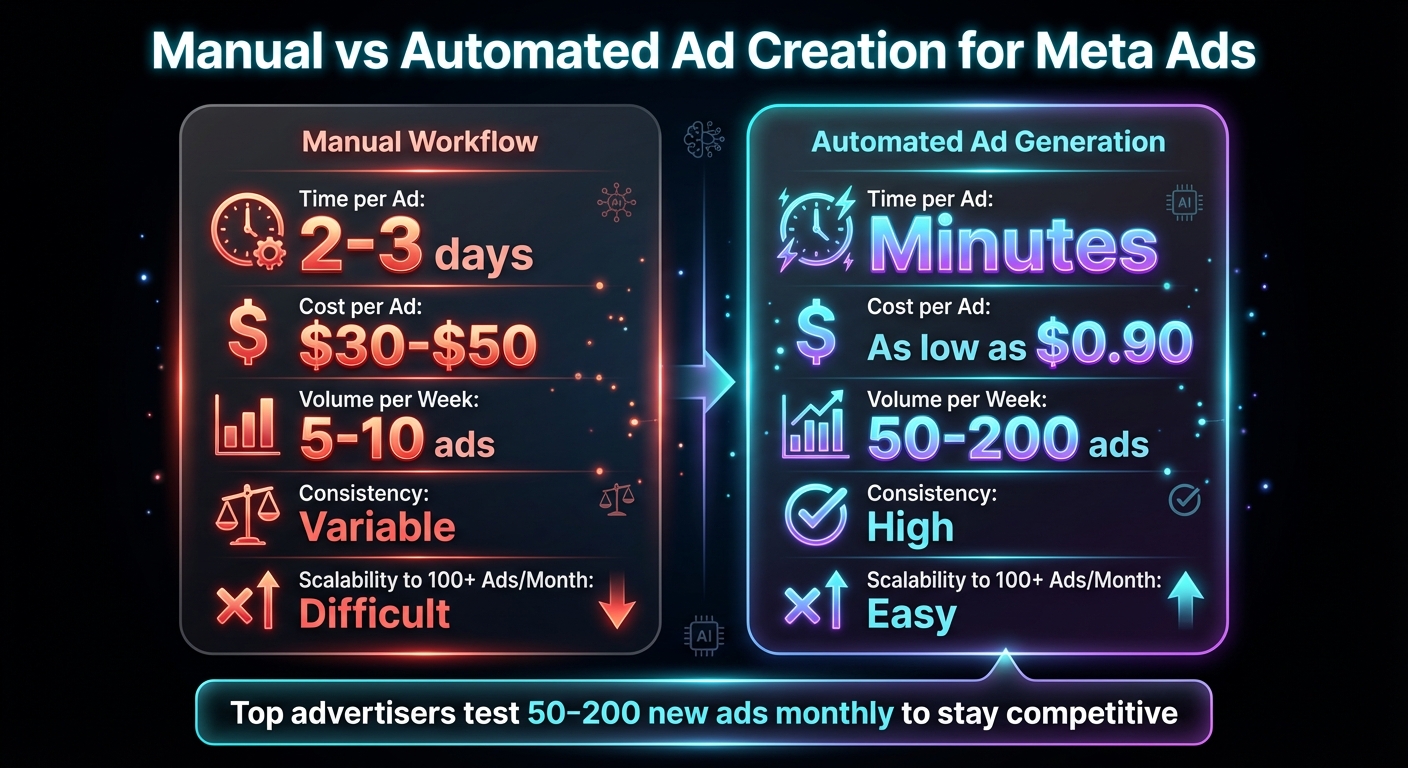
Manual vs Automated Meta Ad Creation: Cost, Speed & Volume Comparison
Once you've nailed down your audience targeting, the next big challenge is creating ad content. Many AI SaaS startups hit a roadblock here, often stuck waiting for designers, revisions, or video edits. This delay can slow down your momentum.
Static image ads, however, offer a quicker solution. They’re faster and cheaper to test compared to videos. For early-stage startups working with tight budgets and deadlines, static ads are a smart way to figure out which value propositions click with your audience. Once you identify what works, you can later invest in more complex formats to maximize those winning ideas. This approach keeps you flexible and sets you up for a more scalable creative strategy down the line.
Why Traditional Creative Production Holds You Back
Relying on designers or agencies for ad production can be a slow and costly process. Each ad might take two to three days to create and cost anywhere from $30 to $50. If you’re testing multiple creative ideas, this can quickly eat up your time and budget.
And then there’s the issue of creative fatigue. Ads typically start losing their effectiveness after just 7–10 days of being shown. If your process for producing new ads takes a week, you’re already behind. By the time fresh ads are ready, your current ones may have already lost their impact.
As Cedric Yarish, Co-founder of AdManage.ai, puts it:
"The top advertisers are launching hundreds of ads, so it's worth giving up on significance and valuing the learnings overall, rather than trying to create a perfectly fair test setup".
Why Static Ads Work Better Than Video for Startups
For startups, static ads are a much better starting point than video. While videos can grab attention, they’re expensive, time-consuming, and harder to tweak. Early on, your priority should be testing different messaging hooks and value propositions, and static ads make this process simpler and faster.
Static ads allow you to test specific elements - like headlines, pain points, or offers - without worrying about video-related factors like editing quality or audio. A well-crafted static image can quickly highlight a problem or solution, making it perfect for cutting through the noise of a busy social feed.
Once you’ve found what resonates with your audience through static ads, you can explore richer formats like videos or carousel ads to expand on those ideas. Jumping straight into video production without this initial testing is like building a house without checking if the foundation is solid.
Manual Design vs. Automated Ad Creation
The choice between manual design and automated tools comes down to how fast and how much you can produce. With manual workflows, you might only manage 5–10 ads per week. Automated tools, on the other hand, can churn out 50–200 ads in the same time frame. Here's how they compare:
| Metric | Manual Workflow | Automated Ad Generation |
|---|---|---|
| Time per Ad (avg.) | 2–3 days | Minutes |
| Cost per Ad | $30–$50 | As low as $0.90 |
| Volume per Week | 5–10 ads | 50–200 ads |
| Consistency in Performance | Variable | High |
| Scalability to 100+ Ads/Month | Difficult | Easy |
Automated tools eliminate the bottleneck entirely. Instead of waiting on designers, you can simply input your website link and get ready-to-launch static ads in minutes. This speed allows you to test more ideas, refresh your ads before they lose effectiveness, and scale your campaigns effortlessly.
Platforms like Aden's Lab are designed specifically for this purpose. They create high-performing static Meta ads with no setup or learning curve. For startups spending under $5,000 per month, this kind of efficiency can mean the difference between finding product-market fit or wasting your budget on underwhelming creatives. With tools like these, you can move fast, test often, and stay ahead of the competition.
Step 5: Scale Campaigns by Watching the Right Numbers
Once you've identified winning ads and tested your creatives, the next challenge is scaling your campaigns without compromising performance. This is where many startups stumble - either by scaling too quickly and watching their cost-per-acquisition (CPA) soar or by moving too cautiously and missing key opportunities. The trick lies in closely monitoring the right metrics and responding to shifts promptly.
Keep an Eye on CPA, CTR, and ROAS
Three key metrics will help you determine if your campaigns are ready to scale: CPA, CTR, and ROAS.
- CPA (Cost Per Acquisition): This tells you how much you're spending to convert a paying customer. For example, if your customer lifetime value is $300, a CPA of $150 is acceptable, but a CPA of $350 eats into your profit margin.
- CTR (Click-Through Rate): This measures how well your ad resonates with your audience. On Facebook, the median CTR across industries is about 1.92%. If your CTR dips below 1%, it might indicate audience fatigue, which can drive up your CPA.
- ROAS (Return on Ad Spend): This shows how much revenue you're generating for every dollar spent. For instance, spending $1,000 and earning $2,500 gives you a ROAS of 2.5x. Many AI SaaS startups aim for at least a 2x ROAS before scaling further.
The rising cost of ads is another factor to consider. For example, the average cost per click for lead campaigns has climbed to $27.66 - an increase of about 20% compared to the previous year. This makes it even more important to keep your CPA stable or, ideally, reduce your CAC.
Paul Morris from Superb Digital emphasizes the importance of tracking multiple metrics:
"To understand performance, you need a range of KPIs, and they need to be analyzed together. For example, traffic is no good unless you understand what's driving it and whether it's generating clicks or conversions."
Another critical number to watch is ad frequency - the number of times someone sees your ad. If this climbs above 3 or 4, performance often starts to decline. Staying proactive when these metrics show strain can save your campaigns from faltering.
Know When to Pause Underperforming Ads
Not every ad will be a winner, and part of scaling successfully is knowing when to cut your losses. Letting underperforming ads linger in hopes of improvement can drain your budget without delivering results.
Here’s a practical approach: Monitor your ads over a three-day period. If a specific ad's CPA is 25% higher than your target (e.g., $125 when your target is $100), pause it. Similarly, if your CTR drops below 1% and frequency is high, it's a sign of audience fatigue - time to replace the ad.
Within each ad set, compare performance metrics. Pause ads with the highest frequency and lowest CPA efficiency, allowing Meta's algorithm to focus on stronger performers. This simple adjustment can improve campaign efficiency without additional spending.
To combat ad fatigue, keep a steady pipeline of fresh creatives. Successful brands on Meta often produce between 50 and 200 new ads per month. Without fresh content, scaling efforts can stall as ad frequency increases. Automated ad generation tools can help here. For example, Aden's Lab provides up to 200 new static ads per month at around $0.90 per ad, enabling you to scale without bottlenecks caused by traditional design timelines.
Gradually Increase Budgets Without Disrupting Campaigns
Scaling budgets can be tricky, especially with Meta's learning phase - when the algorithm optimizes ad delivery. Abrupt budget increases can reset this phase, destabilizing performance.
To avoid this, increase your daily budget by 20–30% every 48–72 hours. For instance, if you're consistently hitting your ROAS target while spending $100 daily, raise it to $120. If performance remains steady over the next few days, increase it further. This gradual approach ensures the learning phase remains intact.
Yolanda Williams from Take Flight Marketing compares scaling to baking:
"Scaling Meta Ads budgets is kind of like feeding a sourdough starter: add too much too fast and you'll ruin the batch, add too little and nothing rises."
Once you have 3–5 strong ad sets, consider switching to Campaign Budget Optimization (CBO). This allows Meta to allocate your budget dynamically in real time, focusing on top-performing ads.
Another strategy is horizontal scaling - duplicating successful ad sets and targeting new audiences. For example, if a 1% lookalike audience performs well, expand to a 5% lookalike or test new interest groups. This method broadens your reach without overwhelming your current audience.
To protect your campaigns as you scale, set up automated rules. For example, you can automatically increase budgets by 15–20% if ROAS stays above 2.5 for three consecutive days. Similarly, pause ad sets if CPA exceeds your target by 25% during the same timeframe. These safeguards allow you to scale aggressively while keeping performance in check.
Conclusion: The Framework That Gets You Paying Users
Getting your first paying users through Meta ads doesn’t have to be guesswork. By following a structured process, you can build a repeatable system: install the Pixel, select revenue-focused objectives, target cold audiences using interests and lookalikes, test a high volume of static ads, and scale up once your results prove the strategy works. Each step relies on the one before it, and skipping any can lead to wasted ad spend.
Startups that succeed with Meta ads are the ones that test aggressively and cut underperforming ads quickly. Running just 5–10 ad variations a month isn’t testing - it’s wishful thinking. Winning brands are testing between 50 and 200 new ads every month, giving them a massive edge by identifying what works before competitors even finish their first round of revisions. This high-volume testing approach is key to overcoming one of the most common hurdles in ad campaigns: production bottlenecks.
Creative production often slows campaigns down. Even with great tracking, a well-targeted audience, and a strong offer, your campaigns can stall if you can’t produce fresh ads fast enough. Manual design costs around $50 per ad, which can be tough on early-stage budgets. That’s where Aden’s Lab steps in, cutting ad production costs to as little as $0.90 per ad. This allows you to test 10 times more ad concepts without needing a big creative team or waiting on endless revisions.
To make this framework work, don’t treat it as a one-time experiment. Monitor key metrics like CPA, CTR, and ROAS daily, and adjust budgets gradually as performance stabilizes. Keep feeding the algorithm with fresh creatives to prevent ad fatigue and maintain momentum.
Startups that stick to this playbook consistently hit $10,000+ in monthly recurring revenue faster than those relying on intuition or slow ad production cycles. Success doesn’t require bigger budgets or more talent - it comes from speed, volume, and disciplined execution. Drop a link, generate your ads, launch on Meta, and let the data guide you to what works.
FAQs
What conversion event should I optimize for if I don’t have many purchases yet?
If your purchase numbers are low, shift your focus to optimizing for actions like Add to Cart or View Content. These steps are generally easier for users to take and provide Meta’s AI with valuable data to identify people who are genuinely interested in your product. Once you’ve collected sufficient data, you can move on to optimizing for purchases.
How much pixel/CAPI data do I need before lookalikes work?
To make lookalikes work effectively, you need a source audience of at least 100 people from a single country. However, for stronger results, it's better to aim for a source audience of 1,000 to 5,000 people. This gives Meta's algorithm enough data to identify and target similar users more accurately.
When should I stop testing static ads and start making video ads?
When you're looking to boost engagement, share a powerful brand story, or forge an emotional bond with your audience, it's time to consider video ads. These work particularly well after pinpointing successful static ads or when your priority shifts to improving your click-through rate (CTR). Video ads excel at capturing attention fast and encouraging interaction with viewers.
Your next ad batch starts here
Finish with a ready-to-test ad batch
Paste your website to generate static creatives. Drop the link → get ads in about 90 seconds → upload them to Meta → scale.
Free to try No prompt writing