Fix Your CPA: The 5-Minute Meta Ads Breakdown Method
Turn the strategy into creatives
Create Meta ads for your product
Paste your product page. ADEN'S LAB turns the offer, audience, and positioning into complete ready-to-use Meta static ads.
Free to try No prompt writing
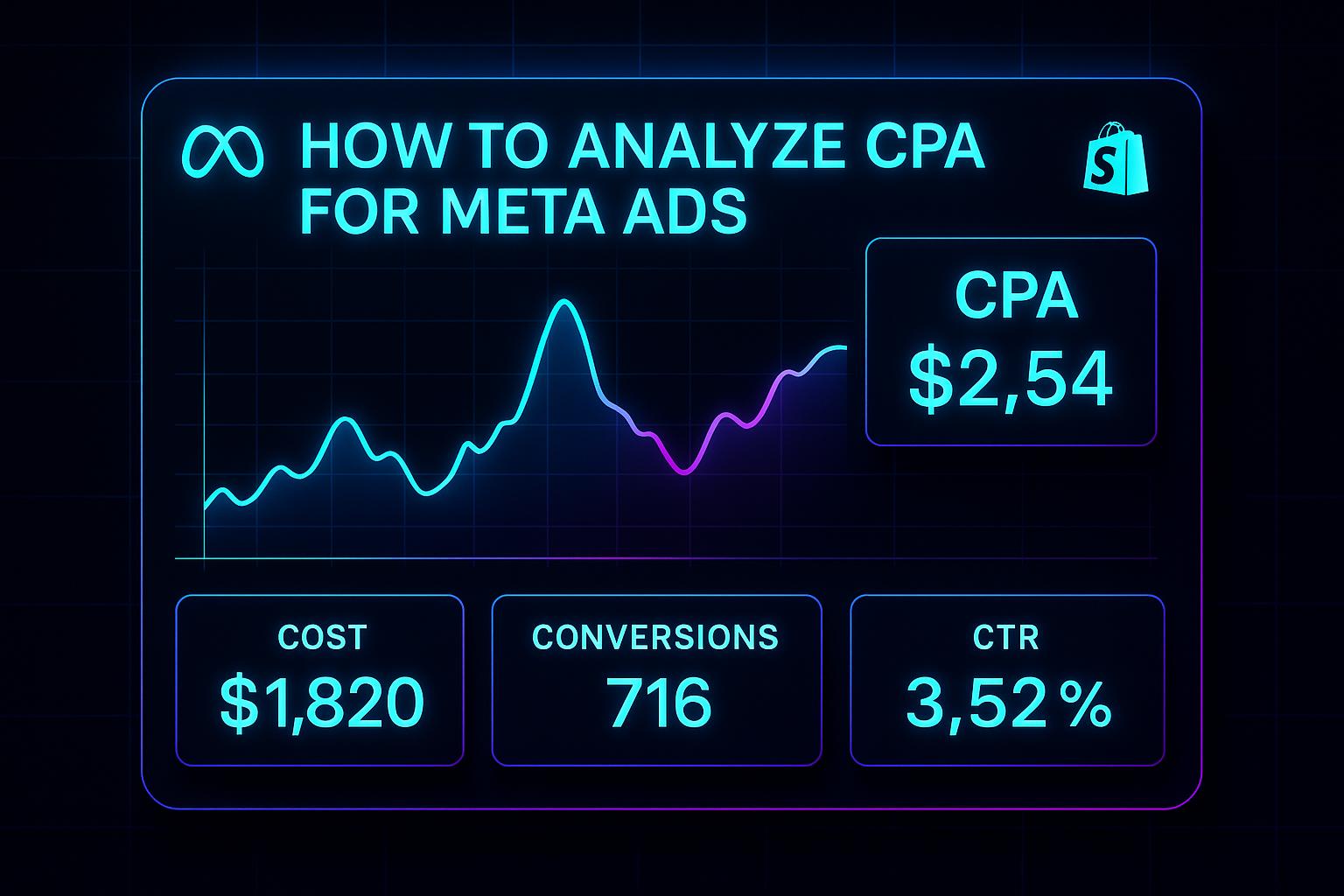
Cost-Per-Acquisition (CPA) is the most critical metric for evaluating the profitability of your Meta ad campaigns. It directly links your ad spend to customer acquisition, helping you determine if your campaigns are worth scaling or need adjustments. Here's the formula:
CPA = Total Ad Spend ÷ Total Conversions
For instance, spending $1,000 to generate 50 conversions results in a CPA of $20. If your CPA is lower than your profit margin per customer, your campaign is profitable and scalable. However, if CPA exceeds your customer value, you're losing money on every acquisition.
Key insights include:
- Industry benchmarks matter: CPAs vary by sector. For example, education averages $7.85, while tech can exceed $55.
- Supporting metrics like CTR and CVR: High CPA with low CTR? Your ad isn't engaging. High CTR but low CVR? Your landing page may need work.
- Scaling risks: CPA may rise when expanding audiences, even if ROAS initially looks strong.
To lower CPA, tools like Meta Ads Manager and AI-driven platforms help analyze data, refine targeting, and improve ad creatives. Focus on optimizing metrics like CPC, CVR, and ROAS to guide smarter budget allocation and campaign adjustments.
How to Analyze Facebook Ads Data the Right Way (The 2025 Guide)
Put the playbook to work
Apply this playbook to your page
Paste your website and the Lab will turn the strategy you are reading into a ready-to-test ads.
Free to try No prompt writing
What is CPA in Meta Ads
Let’s break down the role of CPA (Cost Per Acquisition) in Meta Ads and why it’s a key metric for campaign success.
CPA Definition and Formula
CPA is the metric that tells you how much it costs to gain a new customer through Meta Ads. The formula is straightforward: Total Ad Spend ÷ Number of Acquisitions. An acquisition could be anything from a purchase to a sign-up, download, or any other action that aligns with your campaign goals.
What makes CPA so valuable is that it accounts for all campaign-related costs - ad spend, creative production, and more. This gives you a clear, all-inclusive view of how much you’re spending to bring in each customer.
Next, let’s see how CPA stacks up against other key metrics in Meta Ads.
CPA vs Other Meta Ad Metrics
To fully understand CPA, it helps to compare it with other metrics that measure different aspects of your ad performance.
- CPA vs CPC (Cost Per Click): CPA focuses on the cost of a completed action, like a purchase, while CPC measures how much you pay each time someone clicks on your ad. For example, a campaign might have a low CPC and generate lots of traffic, but if those clicks don’t lead to conversions, your CPA will still be high.
- CPA vs CTR (Click-Through Rate): CTR measures the percentage of people who click your ad after seeing it. A high CTR can indicate that your ad resonates with the audience, but it doesn’t guarantee conversions. Even with strong CTR, a poorly optimized landing page could lead to a higher CPA.
- CPA vs ROAS (Return on Ad Spend): ROAS measures the revenue generated for every dollar spent, while CPA focuses on the efficiency of acquiring customers. For instance, you might see a strong ROAS with a small, targeted audience, but if scaling increases your CPA significantly, that growth may not be sustainable.
Here’s a quick comparison of these metrics:
| Metric | What It Measures | Best Used For |
|---|---|---|
| CPA | Cost to acquire one customer | Assessing acquisition efficiency and scalability |
| CPC | Cost per ad click | Optimizing traffic and budget allocation |
| CTR | Percentage of viewers who click | Gauging ad engagement and relevance |
| ROAS | Revenue return from ad spend | Evaluating overall campaign profitability |
Why CPA Matters for Meta Campaigns
To scale profitably, your CPA must stay below your customer lifetime value (CLV). If CPA exceeds CLV, your campaigns will lose money on every acquisition.
Understanding CPA is crucial for fine-tuning your campaigns. It helps you identify which ads deliver the best return on investment and guides decisions on budget allocation, audience targeting, ad creatives, and bidding strategies. CPA analysis can also uncover patterns in audience behavior. For example, you might notice that CPA rises during certain seasons, with specific demographics, or when expanding beyond your core audience. These insights allow you to adjust your strategy to maintain profitable acquisition costs.
It’s also important to analyze CPA alongside other metrics like conversion rates and CLV. A low CPA with a weak conversion rate doesn’t necessarily mean your campaign is successful. By combining CPA analysis with other performance indicators, you can build a more complete picture of your campaign’s health and make smarter decisions about optimization. This approach is especially powerful when using tools like Meta Ads Manager and AI-driven features to refine your campaigns.
Important Metrics for CPA Analysis
When it comes to evaluating CPA (cost per acquisition), digging into additional metrics can provide a clearer, more detailed picture of your campaign's performance. By tracking these metrics together, you can identify areas to fine-tune and improve your results.
Impressions, Reach, and CTR
Impressions measure how many times your ad appears, while reach tells you how many unique individuals have seen it. These metrics, sitting at the top of the funnel, play a big role in shaping your CPA since they influence how effectively you grab your audience's attention.
If you notice high impressions but low reach, it could mean your ad is being shown to the same people repeatedly. This can lead to ad fatigue, where the audience tunes out, causing your click-through rate (CTR) to decline and your CPA to climb. A healthy CTR signals that your ad is connecting with viewers, potentially lowering costs. On the flip side, a CTR hovering around 1% or less might indicate that your ad isn’t engaging enough, which can drive up your CPA.
Let’s break it down with an example: If your ad gets 100,000 impressions, reaches 20,000 people, and achieves a 2% CTR, that’s 2,000 clicks. But if your reach shrinks to 10,000 and your CTR dips to 1%, you’re left with just 1,000 clicks. This drop doubles your cost per click and likely inflates your CPA.
These insights set the stage for diving deeper into CPC and CVR, which are crucial for refining your CPA strategy.
CPC and CVR
Cost per click (CPC) and conversion rate (CVR) are two key factors that directly shape your CPA. For instance, if your CPC is $2.00 and your CVR is 5%, your CPA will be $40. But with the same CPC and a CVR of just 2%, your CPA jumps to $100. This makes it clear that improving both ad performance and the post-click experience is essential.
By keeping a close eye on CPC and CVR, you can pinpoint the root cause of CPA issues. If your CPC is reasonable but your CVR is low, it’s time to focus on optimizing the conversion process - this could mean improving your landing page, simplifying checkout, or refining your call-to-action. On the other hand, if your CVR looks good but your CPC is high, it might be worth revisiting your ad creative, targeting, or bidding strategy.
ROAS and Attribution Settings
Return on ad spend (ROAS) is a powerful metric that shows how much revenue you’re generating for every dollar spent. It puts your CPA into context by highlighting overall profitability. For example, a $50 CPA might be perfectly acceptable if each customer brings in $200 in revenue, giving you a 4:1 ROAS.
Attribution settings also play a big role in evaluating CPA and ROAS. Platforms like Meta often default to a 7-day click and 1-day view attribution window, which captures most immediate conversions. However, for higher-priced products or longer decision cycles, many customers might take more time to convert.
Using a 28-day click attribution window can reveal delayed conversions, giving you a more complete picture of your campaign’s performance. But there’s a catch: longer attribution windows might also include conversions that would have happened organically, which could skew your results. Choosing the right attribution model is critical because it directly impacts how you allocate your budget. For example, relying only on a 1-day attribution window might lead you to cut campaigns that are actually profitable over time. Conversely, a 28-day window might make certain campaigns seem more successful than they really are.
How to Analyze CPA in Meta Ads Manager
Meta Ads Manager acts as your go-to hub for tracking and fine-tuning campaign performance. To truly get the most out of your CPA (Cost per Acquisition) analysis, you’ll need to know how to customize reports, break down data effectively, and make the most of attribution settings.
Creating Custom Reports
The default view in Meta Ads Manager gives you basic metrics, but for a deeper dive into CPA, you’ll want to set up custom reports. Start by heading to the Reports section in Facebook Ads Manager. From there, click on the Columns dropdown menu and select Customize Columns. This opens up a wider range of metrics beyond the usual impressions and spend data. For CPA analysis, consider adding key metrics like Cost per Result (CPA), Conversions, Cost, Clicks, and Conversion Value.
If you’re short on time, use the Preset options to quickly select metric groups tailored to your campaign goals, then tweak them as needed. Once you’ve set up the perfect view, save it as a reusable preset for future campaigns.
Breaking Down Campaign Data
To uncover valuable insights, segment your performance data. Use the Breakdown dropdown in Meta Ads Manager to filter results by campaign, ad set, or ad creative. You can refine this further using filters for dates or specific objectives.
Start by reviewing Cost per Result at the campaign level to identify which campaigns are excelling and which need attention. Then, drill down to the ad set level to evaluate how factors like audience targeting, placements, and bidding strategies impact your costs. At the ad creative level, you might notice trends - such as video ads performing better with first-time buyers in urban areas, while static images resonate more with repeat customers in suburban regions.
Budget adjustments also play a critical role. Analyze how changes in spending affect performance and pinpoint the audience segments that engage most actively with your ads. These insights can guide your decisions when optimizing campaigns.
"AI recommendations are spot-on (…) It's like having an extra set of super-smart hands helping me hit my KPIs." - Sherwin S.
Using Attribution Windows and Past Data
Attribution settings are a key factor in how CPA is interpreted. The attribution window determines how long Meta tracks conversions after someone interacts with your ad, which directly impacts your reported CPA and ROAS (Return on Ad Spend).
When analyzing your data, keep external factors like seasonal trends in mind. Meta’s date comparison tools can help you benchmark current performance against previous periods - whether it’s last month, last quarter, or the same time last year. This helps differentiate between consistent patterns and short-term spikes.
To get a fuller picture of campaign performance, analyze data using multiple attribution windows - such as 1-day, 7-day, and 28-day windows. This approach allows you to capture both immediate and delayed conversions, ensuring your optimization decisions are grounded in comprehensive data.
Up next, learn how AI-powered tools can take your CPA optimization to the next level.
Improving CPA with AI-Powered Tools
Manually analyzing CPA can provide some insights, but AI tools take it to the next level. These platforms don’t just help you review performance - they actively assist in creating ads that lower your cost per acquisition. Here’s a closer look at how AI-driven tools can help you not only understand CPA but also reduce it through smarter ad creation.
How ADEN'S LAB Transforms Ad Creation

Traditional ad creation often involves guesswork, long timelines, and hefty costs. ADEN'S LAB flips this process on its head by using AI to craft high-converting Meta ads in just 90 seconds. All you need to do is input your product link, and the platform generates ads specifically designed to grab attention and drive conversions.
The AI behind ADEN'S LAB doesn’t just churn out generic ads - it carefully analyzes your product and applies proven creative strategies to craft ads that connect with your audience. This means every ad is purpose-built to lower your CPA right from the start. Plus, the platform can produce hundreds of ad variations daily, giving you plenty of options to test and refine.
One standout feature is its ability to match your brand’s style and voice. The AI ensures every ad aligns with your brand’s identity, so while the ads are optimized for performance, they still feel authentic to your audience. And with commercial rights included, you own every creative asset generated - no hidden licensing fees or usage restrictions.
Why Automated CPA Optimization Works
AI-powered ad creation does more than just speed up the process - it delivers tangible benefits that directly impact your CPA and campaign profitability.
For starters, AI can test ad concepts 10x faster than traditional methods. Instead of waiting weeks for creative teams to deliver new versions, you can produce and test multiple ads in just one day. This rapid testing cycle means you can identify what works much faster, helping you optimize CPA in record time.
ADEN'S LAB slashes production costs by 100x, allowing you to redirect those savings into your ad budget. With more funds available for ad spend, you can focus on scaling your campaigns rather than worrying about creative expenses.
The platform also offers a 25X ROI guarantee, underscoring its confidence in delivering better advertising results. By designing ads specifically for conversions, it naturally improves your CPA, as more viewers take the desired action.
Another advantage is the elimination of endless revision cycles. Instead of dealing with back-and-forth edits with designers, you can instantly generate new ad variations and rely on performance data to guide your choices. This streamlined approach can save tens of thousands of dollars that would otherwise go toward creative teams and revisions.
For brands looking to scale, ADEN'S LAB makes it possible to test 1,000+ ads per day, giving you a major edge over competitors struggling with creative bottlenecks. You can experiment with new angles, messaging styles, and visuals to discover the best combinations for reducing CPA across your audience segments.
This automated system turns CPA optimization into a proactive strategy. By continuously feeding your campaigns with fresh, high-performing ads, you’re setting the stage for consistent growth and better results at scale.
Reading Results and Making Changes
Once you've analyzed your CPA data in Meta Ads Manager, the next step is turning those insights into action. Numbers alone don’t mean much unless you use them to make informed adjustments that lower your CPA. The challenge lies in spotting meaningful trends and using them to fine-tune your campaigns.
Finding High- and Low-Performing Campaigns
Start by sorting your campaigns by CPA, from the lowest to the highest. This helps you quickly identify which campaigns are performing well and which ones are wasting your budget. For campaigns with CPAs at least 20% below your target, consider allocating more budget to them - they’re clearly delivering results.
Look out for campaigns with consistently low CPAs over several days. A one-day dip in CPA might just be a lucky break, but steady performance over time signals a winning combination of audience, creative, and messaging. These campaigns should be your top priority for scaling.
On the flip side, campaigns with CPAs 50% above your target need immediate attention. Before making changes, though, ensure they’ve gathered enough data - campaigns with fewer than 50 conversions may simply need more time to stabilize.
If you notice a sudden CPA jump, like from $15 to $45 overnight, dig deeper. This could point to issues like audience fatigue, increased competition, or changes in user behavior.
You can also refine your analysis by demographics. For example, if your overall CPA seems average, you might find that one age group, like 25-34, is performing exceptionally well, while another, like 45-54, is dragging down your results. Shifting budget to better-performing segments can help.
Making Specific Adjustments
Once you’ve identified the problem areas, tackle them one change at a time to clearly measure what works. Start with adjustments that typically have the biggest impact on CPA.
- Reallocate budgets: Move 20-30% of the budget from high-CPA campaigns to those performing well. This can immediately improve your overall CPA while you troubleshoot underperforming campaigns. Let these changes run for 3-5 days before making additional tweaks.
- Fix weak conversion points: If a campaign has a solid click-through rate but poor conversions, the issue might lie with your landing page or checkout process. Addressing these can often yield better results than tweaking the ad itself.
- Refine audience targeting: Broad audiences can sometimes drive up costs. Narrow down your targeting by adding filters like interests or behaviors. Conversely, if an overly narrow audience is causing high CPAs, expand your reach by including similar interests or lookalike audiences.
- Address creative fatigue: A gradual increase in CPA over 7-14 days often means your audience is tired of seeing the same ads. Rotate in fresh creative with new visuals, messaging, or angles to re-engage your audience.
- Adjust bid strategies and placements: Experiment with bid strategies, such as switching from lowest cost to cost cap. If certain placements, like Instagram Stories, have a CPA 40% higher than others, consider excluding them or creating tailored content for that placement.
After implementing these changes, keep a close eye on how they affect your CPA.
Monitoring Optimization Results
Once adjustments are made, track their impact carefully - but resist the urge to check results too often. Allow 24-48 hours for changes to take effect before making any further decisions. Overanalyzing too soon can lead to hasty moves that hurt performance.
Set up automated rules to keep things on track. For instance, you can create rules to pause campaigns if their CPA exceeds 150% of your target for two consecutive days. This prevents overspending while giving campaigns time to stabilize.
Document every change you make, along with the dates, so you can measure their impact over time. After two weeks, review which adjustments led to the biggest CPA improvements. This documentation will serve as a valuable guide for future campaigns.
Don’t just focus on CPA - monitor secondary metrics like reach and engagement. A low CPA might not mean much if your audience is too small to sustain long-term growth. Striking a balance between CPA and overall performance is key.
Conduct weekly CPA reviews to identify trends that daily monitoring might miss. Look for patterns like seasonal shifts, audience fatigue, or competitive changes that could require strategic updates.
Finally, set up alerts for significant CPA changes. For example, if a campaign’s CPA jumps by more than 30% compared to its 7-day average, you’ll get notified immediately. This allows you to investigate and respond before things spiral out of control.
Keep in mind that optimization is an ongoing process. Even your best-performing campaigns need updates every 2-3 weeks to stay fresh as audiences evolve and competition changes. By staying proactive, you can maintain strong results over time.
Conclusion: Using CPA Analysis for Scalable Growth
Getting a handle on CPA analysis can transform your Meta ad campaigns into a powerhouse for growth. By consistently tracking and refining your cost per acquisition, you ensure that every dollar spent delivers measurable results. This approach doesn’t just make your campaigns profitable - it sets the stage for scaling them effectively.
The most successful brands treat CPA analysis as an ongoing process. They don’t just set it and forget it. Instead, they regularly review campaign performance, spot trends, and make data-driven adjustments. This constant feedback loop helps improve results and maintain profitability, even as campaigns grow. Since market conditions, audience preferences, and platform algorithms are always shifting, staying adaptable is key to staying ahead.
Once you’ve mastered CPA analysis, budgeting becomes more precise. Instead of spreading your budget evenly, you can confidently pour more resources into high-performing campaigns while tweaking - or even pausing - those that fall short. This focused approach ensures long-term growth without sacrificing your return on investment.
Tools like ADEN'S LAB take CPA optimization to the next level. By automating the creative process, you can generate and test hundreds of ad variations in minutes, rather than spending weeks manually creating and experimenting. This allows you to discover winning creatives faster - up to 10 times faster - and scale top performers quickly. The result? Lower CPAs, reduced production costs, and improved profit margins. These efficiency gains don’t just save time; they directly impact your bottom line, giving you the flexibility to scale aggressively without compromising profitability.
But CPA optimization isn’t just about cutting costs. It works best when paired with a broader marketing strategy that also looks at customer lifetime value and retention. True growth comes from acquiring customers efficiently and keeping them engaged over time.
With the right mix of analytical know-how, strategic thinking, and automation tools like ADEN'S LAB, you’re not just running ad campaigns - you’re building a scalable, profitable growth engine that can leave your competitors struggling to keep up.
FAQs
How can I analyze and lower my CPA using Meta Ads Manager?
To get a handle on your Cost Per Acquisition (CPA) in Meta Ads Manager, start by figuring out the basics: divide your total ad spend by the number of conversions. This simple calculation gives you a clear view of how much you're spending to acquire each customer.
From there, dig into key metrics like click-through rate (CTR), conversion rate, and relevance score. These numbers reveal how well your campaign is connecting with your audience and where there’s room for improvement.
Fine-tune your targeting by using custom audiences and lookalike audiences - powerful tools to reach the right people. Pair this with A/B testing to experiment with different ad creatives and see what gets the best response. Keep an eye on your campaign data regularly, tweaking as needed to improve performance. With consistent effort, these steps can help you bring down your CPA and achieve better results overall.
What are the best ways to reduce a high CPA in Meta Ads campaigns?
To bring down a high CPA in your Meta Ads campaigns, start by sharpening your audience targeting. Tap into custom and lookalike audiences to connect with users who are more likely to engage, or consider broadening your audience to reduce competition and lower costs. Crafting engaging ad creatives is just as crucial - use attention-grabbing visuals, persuasive copy, and clear calls-to-action to enhance ad performance.
Make A/B testing a regular part of your strategy to pinpoint what resonates with your audience. Rotating your campaigns can also help combat ad fatigue. Don’t forget to experiment with bidding strategies and rely on data-driven tweaks to fine-tune your results. By consistently analyzing your performance metrics and refining your approach, you can lower your CPA and get more value from your campaigns.
How can AI-powered tools help optimize CPA in Meta ad campaigns?
AI-powered tools take the hassle out of CPA optimization for Meta ad campaigns by automating essential tasks like bid adjustments, audience targeting, and testing different creatives. They rely on real-time data and predictive analytics to make smarter decisions, ensuring your budget is used effectively and your campaigns deliver stronger results.
By leveraging AI, you can pinpoint high-performing strategies much faster, cut down on manual effort, and scale your campaigns without overspending. The result? Higher conversion rates and a better return on investment (ROI), making it easier to hit your advertising targets.
Your next ad batch starts here
Finish with a ready-to-test ad batch
Paste your website to generate static creatives. Drop the link → get ads in about 90 seconds → upload them to Meta → scale.
Free to try No prompt writing