10 CPC Tricks Meta Advertisers Never Reveal
Turn the strategy into creatives
Create Meta ads for your product
Paste your product page. ADEN'S LAB turns the offer, audience, and positioning into complete ready-to-use Meta static ads.
Free to try No prompt writing
Want to cut your Meta Ads Cost Per Click (CPC)? Here's the bottom line: You can lower your CPC by improving targeting, testing better ad creatives, and leveraging AI tools. These strategies help you reach the right audience, boost engagement, and spend less per click - all while driving more conversions.
Here’s a quick breakdown of what works:
- Analyze CPC Baseline: Start by comparing your current CPC with industry benchmarks to identify areas for improvement.
- Target Smartly: Use Lookalike and Custom Audiences while avoiding overly narrow targeting.
- Improve Ad Creatives: Test different formats (videos, carousels) and refresh content regularly to prevent ad fatigue.
- Leverage AI Tools: Use platforms like ADEN'S LAB to quickly generate and test ad variations.
- Track and Optimize: Set up Meta Pixel, Conversion API, and CRM data to improve targeting accuracy.
- Use the Right Objectives: Align campaign goals with funnel stages to avoid wasting ad spend.
Key takeaway? Lowering CPC isn’t just about saving money - it’s about getting better results for every dollar spent.
How To Fix High CPC's on Meta Ads
Put the playbook to work
Apply this playbook to your page
Paste your website and the Lab will turn the strategy you are reading into a ready-to-test ads.
Free to try No prompt writing
Check and Compare Your Current CPC
Before you can lower your Meta Ads CPC, you need to know your starting point. Many advertisers skip this step, which makes it harder to adjust strategies effectively. Without a clear baseline, it’s tough to measure progress or identify areas that need improvement.
By establishing your current CPC baseline, you create a foundation for tracking real progress. It also helps you figure out which campaigns or audience segments are driving up costs, allowing you to focus your efforts where they’ll have the most impact.
Review Key Metrics in Meta Ads Manager
Meta Ads Manager is your go-to tool for evaluating CPC performance. Start by opening your campaigns dashboard and selecting a relevant date range - say, the last 30 days. Then, focus on the metrics that align with your goals. For example:
- Cost per Link Click shows what you’re paying for clicks that lead visitors to your website.
- CPC (All) aggregates the cost of all types of clicks on your ad.
Break down your data by campaign objective. Traffic and conversion campaigns often have different cost patterns since they optimize for distinct actions. Use the "Breakdown" feature to examine performance across placements (like Facebook Feed, Instagram Stories, or Reels) and identify demographic segments that may be driving higher costs.
Looking at historical CPC trends can also reveal valuable patterns. For instance, seasonal cost changes or spikes during specific events might show up in your data. Analyzing trends over several months can help you determine whether your current CPC is typical or if there’s an issue that needs attention. These insights can guide decisions about ad scheduling and budget allocation.
This analysis gives you a strong foundation to compare your performance to broader industry standards.
Compare CPC to US Industry Standards
Once you’ve reviewed your internal metrics, take the next step by comparing your CPC to industry benchmarks in the US. While these benchmarks provide a helpful reference, keep in mind that factors like your campaign goals and audience specifics can significantly affect your results.
Document key details such as your average CPC, top-performing audience segments, and best placements. This record will serve as a benchmark for tracking the success of your future optimization efforts. By combining internal data with industry standards, you’ll have a clearer picture of where you stand and what steps to take next.
Improve Audience Targeting and Segmentation
Once you’ve established a clear CPC baseline from earlier analyses, the next step to lowering costs is refining your audience targeting. Poor targeting is a major culprit behind high Meta Ads CPC. If your ads are reaching the wrong people, engagement plummets, relevance scores drop, and costs soar. The solution? Ensure your ads connect with users who are genuinely interested.
Here’s a sobering stat: 67% of small businesses earn less than $3 per ad dollar spent due to ineffective targeting.
The challenge lies in striking the perfect balance - being specific enough to reach engaged users while keeping the audience broad enough for Meta’s algorithm to optimize effectively.
Use Lookalike and Custom Audiences
Custom Audiences are your go-to for precise targeting. These are built using data from past website visitors, email subscribers, or video viewers. Start with your most valuable interactions. For example, upload a customer email list or create audiences from visitors who checked out specific product pages on your site. These “warm” audiences often yield higher engagement and lower CPC compared to targeting completely new users.
Lookalike Audiences take this concept a step further. Meta’s algorithm identifies new users similar to your best customers by analyzing data patterns from your Custom Audience. The key here is to base your Lookalike Audiences on high-value actions - like purchases or sign-ups - rather than generic website visits.
Next, get strategic with segmentation. Create multiple Lookalike Audiences tailored to different customer behaviors. For example, one could focus on your top spenders, while another targets recent buyers. Experiment with different percentage ranges: 1% Lookalikes are closely aligned with your source audience but have limited reach, while 5% Lookalikes offer more scale but less precision. To fine-tune further, layer in filters like age, interests, or location to keep your targeting sharp without shrinking the audience too much.
A great example of this approach is Feeling Swell. By segmenting their prospecting, re-engagement, and retargeting audiences, they saw a 521% increase in purchases and a 108% boost in return on ad spend (ROAS).
Avoid Audiences That Are Too Narrow
While precision is important, going too narrow can backfire. Small, overly specific audiences limit Meta’s ability to optimize at scale, which often leads to higher CPC.
Another issue? Audience overlap. If multiple narrow ad sets target the same users, your campaigns end up competing against each other in auctions, driving costs even higher. Use Meta’s audience overlap tool to identify and address this problem. For instance, exclude past customers from prospecting campaigns or remove website visitors from awareness campaigns to avoid redundancy.
One client saw incredible results after tackling audience overlap. In just a week, they achieved a 400% increase in conversions and cut their cost per acquisition by 54.69%.
Budget allocation also plays a critical role. A good rule of thumb is to allocate 60–70% of your budget to prospecting campaigns aimed at new users, while reserving 30–40% for retargeting existing audiences. This helps keep your retargeting lists fresh while avoiding audience fatigue, which can push costs higher over time.
Geographic and demographic data are equally important. Instead of casting a wide net over an entire country, focus on regions or states where your product performs best. You can also use dayparting to schedule ads during times when your audience is most active, rather than running campaigns 24/7.
The ultimate goal is to create audience groups that are broad enough for Meta’s algorithm to work effectively, yet still relevant to your offer. By fine-tuning your audience size and targeting strategy, you’ll create a more efficient bidding environment, driving your CPC even lower.
Create Better Ad Creative for Higher Engagement
Once you've nailed down your audience targeting, the next step to lowering your Meta Ads CPC is creating ad creatives that truly capture attention. Why? Because ads with higher engagement rates - measured by click-through rates (CTR) - are rewarded by Meta's auction system with lower costs per click. Simply put, when people interact with your ads more, you pay less. To keep that engagement up, it’s essential to experiment with different creative formats.
In fact, recent benchmarks for 2025 reveal that regularly rotating your ad creatives can reduce CPC by up to 20%.
Test Different Ad Formats and Dynamic Creative Options
Not all ad formats are created equal. What resonates with one audience might fall flat with another. Some of the most effective formats include images, videos, and carousels, with video ads often delivering the highest engagement rates. Carousels, in particular, stand out because they allow you to showcase multiple products or messages in a single ad, offering more chances for users to interact.
To make testing easier, take advantage of Meta's dynamic creative feature. This tool allows you to upload multiple assets - like images, videos, headlines, and calls-to-action (CTAs) - and automatically tests different combinations to find what works best. It simplifies A/B testing by letting Meta’s system do the heavy lifting, identifying the highest-performing creatives that drive engagement and lower CPC.
Dynamic creative optimization eliminates the guesswork. Meta’s algorithm learns which combinations resonate most with your audience and shifts your budget toward the best-performing variations. To get started, upload a variety of creative elements to ensure there’s enough diversity for the system to analyze and optimize.
Update Content Regularly to Avoid Ad Fatigue
Even the best-performing ads have a shelf life. Over time, your audience may grow tired of seeing the same creative repeatedly, a phenomenon known as ad fatigue. This leads to lower engagement and, ultimately, higher CPC.
One retail brand saw its CPC jump by 30% after running the same ad for three weeks. However, after introducing fresh product images and updated copy, their CTR surged, and CPC dropped by 25% within just one week.
To prevent ad fatigue, monitor your campaign metrics closely. Keep an eye on CTR, CPC, and engagement rates to spot signs of declining performance early.
Refreshing your creatives doesn’t have to be complicated. Small changes - like swapping out product images, tweaking headlines to emphasize different benefits, or updating CTAs to create urgency - can make a big difference. For example, changing a CTA from "Shop Now" to "Get Yours Today" can breathe new life into an ad.
If you’re managing multiple campaigns, consider using a content calendar to schedule regular creative updates. This ensures you stay ahead of ad fatigue while maintaining consistent messaging, helping you sustain the lower CPC achieved through your earlier optimizations.
Use AI-Powered Ad Generation Tools
Gone are the days when creating ad content was a slow, resource-heavy process. Thanks to AI-powered tools, producing ad creatives at scale has become faster and more efficient. These tools are transforming how Meta advertisers approach campaigns, automating the creation of hundreds of ad variations in a single day. This level of output not only speeds up testing but also helps allocate budgets more effectively, leading to lower costs per click (CPC).
By relying on data rather than guesswork, these AI systems craft ads designed to drive conversions. This shift from manual testing to automated, data-driven optimization often results in higher engagement and better click-through rates - key factors in Meta’s auction system that can reduce CPC significantly.
Scale Ad Testing with ADEN'S LAB
ADEN'S LAB is a powerful platform that takes ad creation to the next level. It uses your product data to generate hundreds of Meta ad variations in just seconds, drastically cutting down testing time and reducing CPC. By analyzing your product link, the tool pulls in details like images, copy, reviews, and even your brand’s tone. Then, it feeds this information into an AI system trained on performance data from millions of dollars in ad spend.
This process eliminates the delays that come with traditional creative production. Instead of waiting weeks for a design team to deliver a handful of options, you can instantly create a vast library of ad variations. ADEN'S LAB focuses on producing "scroll-stopping creatives" with attention-grabbing headlines, engaging hooks, and layouts built to convert.
For example, a US-based e-commerce brand used ADEN'S LAB to generate hundreds of ad variations quickly. This approach led to a 30% drop in CPC and a 25% boost in conversion rates within just one month. The brand also saved thousands of dollars in production costs and accelerated their ad testing by 10x.
Traditional teams might produce a limited number of ads each week, but ADEN'S LAB can create hundreds daily. This output allows for extensive A/B testing across different audiences, placements, and objectives. By identifying the best-performing creative combinations, marketers can significantly lower CPC and maximize ROI.
Boost ROI with Data-Driven Creative Generation
The efficiency of platforms like ADEN'S LAB directly translates into better ROI. The system zeroes in on performance-focused elements - like compelling headlines, emotional hooks, and mobile-friendly layouts - to ensure your ads are designed to engage.
ADEN'S LAB’s AI analyzes patterns from millions in ad spend to pinpoint what works for various audiences. This means every ad it generates is backed by data, giving you higher-quality creatives that improve campaign performance.
The financial benefits are hard to ignore. Marketers using ADEN'S LAB report cutting production costs by up to 100x compared to traditional agencies or in-house teams. Instead of spending heavily on creative production, you can achieve better results at a fraction of the cost while ramping up your testing speed.
To track the success of these AI-generated ads, focus on key metrics like CPC, click-through rate (CTR), conversion rate, and return on ad spend (ROAS). These indicators will help you identify the top-performing creatives and guide ongoing adjustments to keep your campaigns competitive and cost-effective.
Getting started with ADEN'S LAB is simple for US marketers. Just connect the platform to your Meta ads account, upload your product links, and set your campaign goals. From there, you can generate multiple ad variations and monitor their performance through Meta Ads Manager, making adjustments as needed to optimize for lower CPC and higher ROI.
Choose the Right Campaign Objectives
After refining your targeting and testing your creative, the next step is choosing the right campaign objective. This decision is critical for keeping your cost-per-click (CPC) low. Why? Because your campaign objective tells Meta’s algorithm what to optimize for. If your objective doesn’t align with your actual business goal, you risk wasting ad spend on the wrong type of engagement.
Every objective comes with its own cost structure and optimization strategy. Meta’s algorithm is designed to deliver exactly what you ask for. For example, if your goal is to sell products but you select the "Engagement" objective, Meta will prioritize showing your ads to users who enjoy liking, commenting, and sharing - not necessarily those who are ready to make a purchase. This mismatch can drive up your cost per acquisition while delivering results that don’t translate into revenue.
| Objective Type | Average CPC (US, 2025) | Best Use Case | Performance Notes |
|---|---|---|---|
| Brand Awareness | $0.55 | Maximize reach and impressions | Lowest CPC, but not optimized for conversions |
| Traffic (Link Clicks) | $0.72 | Drive website visits | Lower CPC, higher volume, less qualified |
| Lead Generation | $1.34 | Collect leads and contact info | Mid-range CPC, depends on form quality |
| Conversions | $1.85 | Drive purchases and sales | Higher CPC, higher intent, better ROI |
Pick Objectives That Match Your Funnel Goals
Your campaign objectives should align with the stage of the sales funnel you’re targeting. For top-of-funnel campaigns, focus on Awareness or Reach objectives to introduce your brand to new audiences at a low cost. Mid-funnel efforts are better suited for Traffic or Engagement objectives, which help nurture interest and encourage consideration. Finally, bottom-of-funnel campaigns should use Conversions or Lead Generation objectives to target users who are ready to take action.
This alignment ensures Meta’s optimization works in your favor. For instance, if you select Traffic for a top-of-funnel campaign, Meta will prioritize finding users likely to click on links - perfect for driving discovery visits. But using Traffic for a retargeting campaign aimed at past visitors might not yield the best results, as the algorithm won’t focus on purchase intent.
Matching objectives to your funnel stage also helps you set realistic expectations. Awareness campaigns may have lower CPCs but aren’t likely to drive immediate sales. Conversion campaigns, on the other hand, will cost more per click but typically result in higher-value actions. Understanding these trade-offs can help you avoid making hasty adjustments that disrupt Meta’s learning phase. When your objective matches your goal, your ads are more relevant, and you’ll attract more qualified clicks, ultimately lowering your CPC.
Think about your customer’s journey when selecting objectives. For a product launch, you might start with Awareness to build recognition. Then, move to Traffic to drive visits to your product page. Finally, use Conversions to target users who’ve shown purchase intent. This step-by-step approach allows you to optimize each stage separately, making your budget work harder at every point in the funnel.
Focus on Link Clicks or Landing Page Views
If your goal is to drive qualified traffic, consider targeting link clicks or landing page views. These objectives signal Meta to find users who are more likely to visit your site, often resulting in lower CPCs compared to conversion-focused campaigns.
The Traffic objective, optimized for link clicks, is especially effective for content marketing, product discovery, and lead nurturing. Meta will prioritize users who are likely to click through to your website, which typically leads to higher click-through rates and lower costs per visit. This strategy works well if you have a strong on-site conversion process and want to attract as many qualified visitors as possible.
Landing page view optimization takes this a step further. It focuses on users who not only click your ad but also fully load your landing page. This helps filter out accidental clicks and low-intent traffic, giving you slightly more qualified visitors while still keeping CPCs relatively low.
The difference in cost becomes clear when you compare Traffic campaigns to Conversion campaigns. Traffic campaigns deliver more clicks at a lower cost ($0.72 vs. $1.85), while Conversion campaigns focus on users with higher purchase intent, offering a better return on ad spend. The best choice depends on your goals, conversion rates, and the lifetime value of your customers. Testing both approaches can help you determine which delivers the best results for your business.
Set Up Conversion Tracking and Data Integration
Getting conversion tracking right is a key step for success with Meta Ads. Without accurate data, Meta’s algorithm has no way to figure out which users are most likely to complete valuable actions, like making a purchase or signing up. This can lead to wasted ad spend and higher costs per click (CPC). On the other hand, when you feed the algorithm high-quality conversion data, it learns to target the right people - those who actually take action on your site - helping to lower your CPC and improve overall performance.
But here’s the catch: browser privacy updates, iOS changes, and ad blockers have made traditional tracking methods, like relying solely on the Meta Pixel, less reliable. Advertisers who integrate server-side tracking and CRM data into their strategy typically see a 20–30% improvement in conversion attribution and lower CPCs compared to using just the Pixel.
Think of it this way: accurate conversion tracking helps Meta’s algorithm distinguish between casual window shoppers and serious buyers. This creates a feedback loop - better data improves targeting, which leads to better results, like lower CPCs and higher conversion rates. To get there, you’ll need to set up your tracking systems correctly.
Install Meta Pixel and Conversion API Correctly
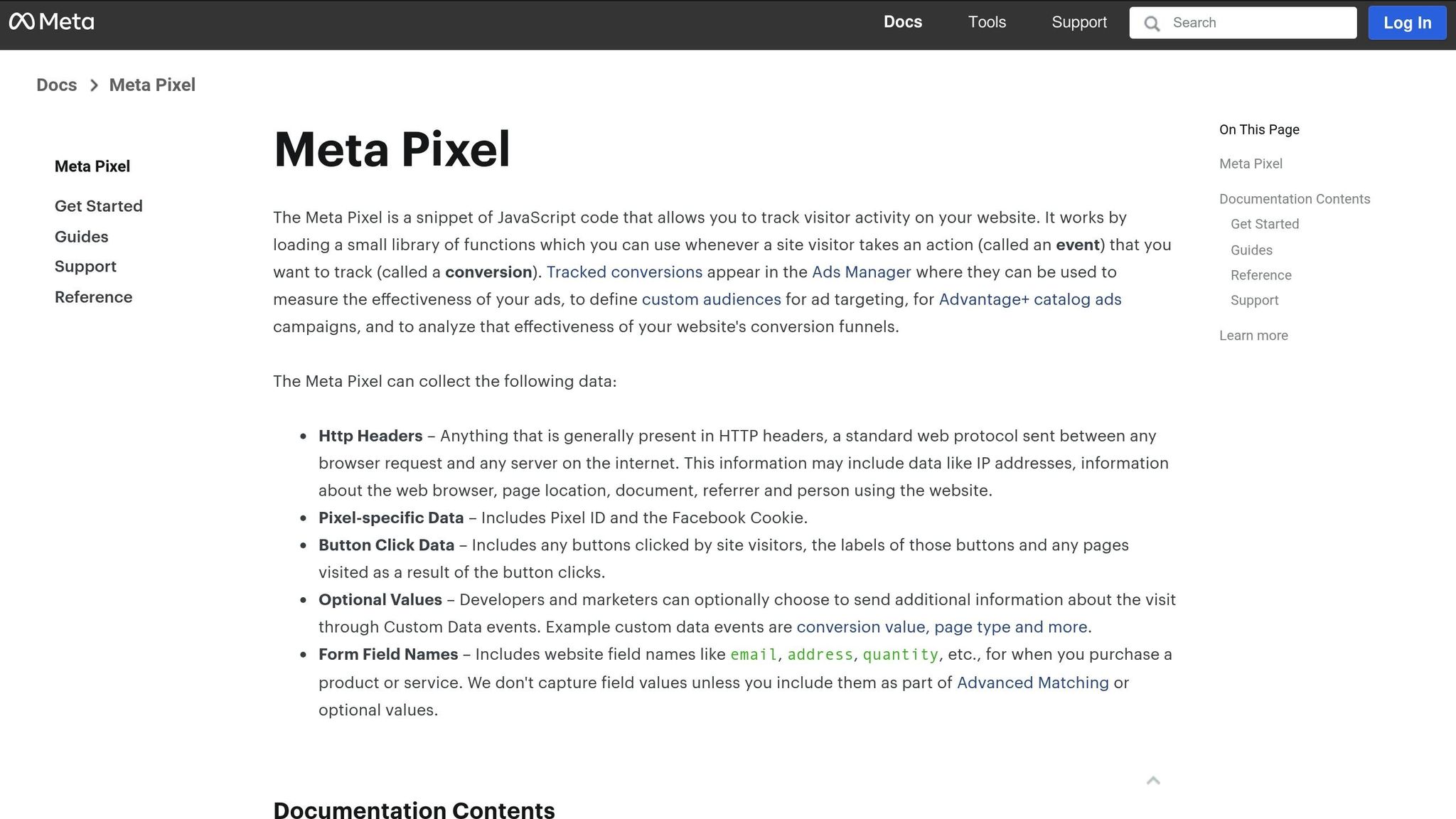
Using both the Meta Pixel and the Conversion API (CAPI) together is essential if you want accurate tracking, even when browser restrictions or ad blockers come into play. The Pixel handles browser-side tracking, while CAPI works server-to-server to bypass blockers and capture the full picture.
Start by creating a Pixel in Meta Events Manager and adding its base code to the header of every webpage. Then, set up standard events like “Purchase,” “Add to Cart,” and “Lead” on the relevant pages to track user actions.
The Conversion API takes things a step further. By connecting directly to Meta’s servers, it ensures you’re still collecting data even when the Pixel is blocked or limited. This is especially critical for advertisers in the US, where privacy regulations and browser changes have made traditional tracking less effective. Combining the Pixel and CAPI gives you a more complete view of your conversions, which can lead to lower CPCs.
However, mistakes in setup can undermine your efforts. For example, installing the Pixel on only some of your pages means you’ll miss tracking key conversion events. And if CAPI isn’t configured properly, it can lead to double-counting conversions. Always use Meta’s diagnostics tools to test your setup, and make sure your privacy policy clearly explains your data-sharing practices to stay compliant.
| Tracking Method | Data Quality | Attribution Accuracy | Impact on CPC | Setup Complexity |
|---|---|---|---|---|
| Pixel Only | Moderate | Limited | Higher | Easy |
| Pixel + CAPI | High | Strong | Lower | Moderate |
| Pixel + CAPI + CRM | Very High | Best | Lowest | Advanced |
Connect CRM Data for Better Matching
Taking it a step further, integrating your CRM data can make a huge difference in your campaign performance. By uploading customer information - like email addresses or phone numbers - you enable Meta to create Custom Audiences based on real customer behaviors, not just website activity. This allows for more precise retargeting and better lookalike audience creation.
To get started, securely export your CRM data and upload it to Meta Ads Manager to build Custom Audiences. For ongoing improvements, automate this process using tools like LeadsBridge or Zapier to regularly sync your data. Ensure the data is hashed for security, and update your privacy policies to reflect these practices.
The payoff can be substantial.
A US e-commerce brand that implemented both the Meta Pixel and Conversion API, while syncing CRM data, saw a 20% drop in CPC and a notable increase in return on ad spend.
Why? The algorithm had access to complete customer profiles and purchase histories, allowing it to deliver ads to users most likely to convert.
To maintain these benefits, keep your data fresh. Update your Custom Audiences at least weekly so Meta has the latest customer information. This helps the algorithm spot patterns in your best customers and find similar prospects, all while keeping your ad costs down. The more robust your data integration, the better Meta can optimize your campaigns for success.
Scale Budgets Without Raising CPC
Finding the right balance when increasing budgets is key. Move too quickly, and your cost-per-click (CPC) can skyrocket. Move too slowly, and you risk missing valuable growth opportunities. The trick lies in understanding how Meta's algorithm reacts to budget changes and working within its framework to maintain efficiency. A thoughtful, step-by-step approach ensures you preserve your campaign's past optimizations while avoiding unnecessary costs. Here's how to adjust budgets without throwing the algorithm off track.
Avoid Sudden Budget Jumps
Making large budget increases overnight can disrupt the algorithm's learning process. For instance, doubling your daily budget in one go might lead the system to overspend on expensive ad auctions, especially if you're using automated bidding strategies with a narrow audience. This kind of abrupt change can result in inefficient and costly campaigns. Instead, increase your budget in small, manageable increments. This gives the algorithm time to adapt and optimize based on fresh performance data.
Align Spending Growth with Audience Size
Your audience size plays a big role in determining how much you can spend effectively. Spending too much relative to your audience can lead to higher costs without a corresponding boost in conversions. Poor pacing, especially with lifetime budgets, can cause front-loading, where most of the budget gets spent early on, driving up your cost-per-lead. To avoid this, scale your spending gradually, ensuring it matches the system's ability to deliver results efficiently. This approach helps maintain strong campaign performance while expanding your reach.
Run Regular A/B Testing
After refining your targeting and creative strategies, regular A/B testing can take your CPC performance to the next level. This approach helps you identify ad variations that lower CPC by comparing different versions systematically, rather than relying on guesswork. It builds on your earlier efforts to fine-tune creative elements and targeting.
Aim to run tests every 7–14 days. This timeline gives you enough data to make informed decisions without disrupting the learning phase of your campaigns. Plus, it helps avoid ad fatigue while keeping performance on an upward trend. Brands that incorporate A/B testing into their strategy consistently see better click-through rates and reduced CPC compared to those that don’t .
Test Creative Elements Like Headlines and CTAs
Headlines and calls-to-action (CTAs) are often the first things users notice, making them essential for optimizing CPC. Experiment with headlines, hooks, and layouts designed to grab attention and drive conversions.
Focus on headlines that create urgency, highlight benefits, or address pain points. For instance, an e-commerce brand tested two ad versions: one with a generic headline and another emphasizing a limited-time offer. The result? The time-sensitive headline achieved a 25% higher click-through rate and a 15% lower CPC. Similarly, test CTAs like "Shop Now", "Learn More", "Get Started", or "Claim Your Discount" to see which drives the most qualified clicks.
Visual elements matter too. Try different images, video thumbnails, and ad layouts to find combinations that grab attention while keeping costs manageable. Using AI-powered tools can speed up this process, allowing you to test multiple creative variations - headlines, visuals, and copy - at scale.
Test One Variable at a Time for Clear Results
Once you’ve identified promising creative elements, test them one at a time. Changing multiple variables simultaneously - like the headline, image, and CTA - makes it hard to pinpoint which adjustment improved performance. Instead, isolate each variable. For example, test a new headline while keeping the image and CTA the same, then move on to testing the image or CTA separately. This step-by-step approach ensures you can accurately link performance improvements to specific changes.
Track key metrics for each test to measure results effectively. Keep in mind that while a variation might lower CPC, it could also reduce conversion rates - something that might not improve your overall campaign efficiency.
Document everything in a central report, including your hypotheses, variables tested, and results. Over time, this creates a valuable knowledge base that can guide future creative decisions. These insights feed directly into your ongoing optimization efforts, saving time by avoiding repeated mistakes and helping you consistently lower your CPC.
Monitor Performance and Make Adjustments
Once you've completed A/B tests and initial optimizations, it's essential to keep a close eye on your campaigns to maintain a low CPC. Meta's algorithm is dynamic, shifting with competition, seasonal trends, and changes in audience behavior. Even the best-performing campaigns can see unexpected spikes in CPC without regular monitoring. Aim to review and tweak your campaigns every 7–14 days.
Track Key Metrics in Custom Reports
Custom reporting views in Meta Ads Manager can simplify the process of keeping tabs on your campaigns. Focus on tracking critical metrics like Cost Per Click (CPC), Click-Through Rate (CTR), Conversion Rate (CVR), Return on Ad Spend (ROAS), and Cost Per Lead (CPL). Use the "Customize Columns" feature to arrange these metrics in a way that works best for your analysis. For instance, setting up a weekly report that shows CPC and CTR side by side across all campaigns can quickly highlight underperforming ads.
Save these custom views for consistency, and make it a habit to review them regularly. This will help you spot any performance dips or trends that require immediate attention.
Group Campaign Changes to Avoid Learning Disruption
Once you've identified areas for improvement, it's crucial to make adjustments in a way that minimizes disruption to Meta's learning phase. Making one change at a time - like tweaking budgets on one day and refining audience targeting on another - can repeatedly reset the learning phase, potentially driving up CPC and reducing campaign efficiency. Instead, bundle your updates, such as creative changes, audience adjustments, and budget modifications, into a single, coordinated effort.
A 2025 case study showed that an e-commerce brand slashed CPC by 18% after consolidating multiple updates into one campaign refresh.
Plan your optimization cycles around this bundling approach. During your regular reviews, pinpoint all the changes you need to make and implement them together. Keeping a detailed log of what changes were made and when can also help you connect specific updates to performance improvements.
For a more streamlined process, tools like ADEN'S LAB can automate creative testing, allowing you to execute broader optimizations efficiently. By combining these monitoring and adjustment strategies, you can ensure your campaigns stay optimized, keeping CPC low and aligning with your overall advertising goals.
Conclusion: Key Steps for Lowering Meta Ads CPC
Reducing Meta Ads CPC takes a thoughtful, data-focused approach combined with ongoing tweaks and improvements. The tips outlined here work together to help you get the most out of your ad budget while driving better results.
Start by comparing your current CPC to standard benchmarks in the U.S. - typically between $0.50 and $2.00, with e-commerce brands often falling in the $0.70–$1.20 range. This comparison can highlight areas where your campaigns might need adjustments and help set practical goals for improvement.
Targeting and creative quality play a huge role in reducing CPC. Using Lookalike and Custom Audiences ensures your ads reach the right people without being overly restrictive. At the same time, strong, engaging ad creatives can improve your click-through rates, which often leads to lower CPC. Brands that consistently A/B test their ads have reported up to 30% lower CPC and 25% higher conversion rates.
Automation is another powerful tool in your arsenal. AI-driven ad generation tools, like ADEN'S LAB, can streamline the creative process by producing hundreds of high-performing ads from a single product link in seconds. This approach not only speeds up testing but also slashes production costs - by as much as 100x compared to using agencies or in-house designers.
Your technical setup and strategic decisions also matter. Accurate conversion tracking and CRM integration help optimize bidding and prevent unexpected cost increases. Aligning campaign objectives with your sales funnel and scaling budgets gradually can further reduce disruptions during the learning phase.
When combined, these strategies create a system of ongoing improvement. Successful brands tie together targeting, creative testing, technical tracking, and AI-powered tools into a cycle of continuous optimization. They keep a close eye on key metrics, make campaign adjustments in batches to avoid algorithm disruptions, and consistently introduce fresh creatives to maintain performance. This approach doesn’t just lower costs - it builds a scalable system for growth in a competitive market.
With the right mix of strategy, tools, and consistent effort, lowering Meta Ads CPC is entirely within reach. By making optimization a continuous effort driven by data and automation, you’ll not only reduce costs but also boost your bottom line.
FAQs
What’s the best way to use AI tools to lower my Meta Ads CPC?
Using AI tools such as ADEN'S LAB is a game-changer when it comes to cutting down your Meta Ads CPC. By simplifying the ad creation process, this platform helps you create high-performing ads with ease, all while saving both time and money.
The platform’s fully automated ad production means you can churn out hundreds of ads every day without lifting a finger. This slashes production costs and speeds up campaign testing, allowing you to quickly pinpoint the ads that work best and fine-tune your performance more effectively.
What’s the difference between using only the Meta Pixel and combining it with the Conversion API for tracking conversions?
The Meta Pixel is a browser-based tool designed to monitor user interactions on your website. It tracks actions like page views, button clicks, and purchases. However, its effectiveness can be hindered by ad blockers or strict privacy settings since it relies on cookies and browser data.
Pairing the Meta Pixel with the Conversion API significantly improves tracking accuracy. The Conversion API works by sending conversion data directly from your server to Meta, sidestepping browser limitations. This approach ensures you capture more reliable data, even when browser-based tracking falls short. Together, these tools create a more dependable and thorough tracking system for your Meta ad campaigns.
How can I adjust my campaign objectives to match different stages of the sales funnel and lower CPC?
To bring down your cost-per-click (CPC) while staying in sync with the different stages of the sales funnel, it’s important to set campaign goals that match your audience’s intent at each phase. For the awareness stage, focus on goals like Reach or Brand Awareness to get your brand in front of as many eyes as possible. When your audience moves to the consideration stage, shift to objectives like Traffic or Engagement to spark interactions and keep them interested. Finally, in the conversion stage, prioritize goals such as Conversions or Sales to encourage purchases or other specific actions.
By tailoring your campaign objectives to the customer journey, you can manage your budget more efficiently, boost ad relevance, and cut down on unnecessary spending - all of which help lower your CPC.
Your next ad batch starts here
Finish with a ready-to-test ad batch
Paste your website to generate static creatives. Drop the link → get ads in about 90 seconds → upload them to Meta → scale.
Free to try No prompt writing