AI Image Generators for Meta Ads: What Works, What Gets Flagged, What Gets Approved
Try the workflow instead of comparing it
See what an AI ad generator makes from your product
Paste your product page and get a complete Meta ad batch—creative concepts, images, headlines, and copy—without another tool stack.
Free to try No prompt writing
AI image generators are a powerful tool for creating ad visuals, but navigating Meta's strict ad policies can be tricky. Here's the bottom line: while Meta allows AI-generated images, ads often get flagged or rejected for issues like misleading visuals, unrealistic depictions, or copyright violations. To avoid these pitfalls, you need to understand Meta's rules and create visuals that align with them.
Key Takeaways:
- What Gets Flagged: Misleading product claims, exaggerated transformations (e.g., weight loss), overly idealized AI-generated people, and content resembling deepfakes or copyrighted material.
- What Gets Approved: Product-focused images, abstract designs, and diverse, realistic depictions of people in natural settings.
- Approval Tips: Align images with landing pages, avoid exaggerated claims, and use clear prompts when generating visuals.
Meta's review system is strict, and repeated ad rejections can harm your account health. Staying updated on policy changes and using tools like ADEN'S LAB can help you create compliant, effective ads that get approved faster. Compliance isn't just about avoiding rejections - it ensures smoother campaigns and better performance.
Meta's Policies for AI-Generated Images in Ads
Meta allows the use of AI-generated images in advertisements, but every ad must pass through a standard review process. Here's a closer look at how Meta evaluates these images.
How Meta Reviews AI-Generated Ad Images
Meta uses a combination of automated tools and manual reviews to ensure ads comply with its Advertising Standards and Community Standards. The review process kicks off as soon as an ad is submitted and is usually completed within 24 hours. However, there may be occasional delays depending on the volume of submissions.
Put the playbook to work
Apply this playbook to your page
Paste your website and the Lab will turn the strategy you are reading into a ready-to-test ads.
Free to try No prompt writing
Why AI Images Get Flagged or Rejected
Meta has stepped up its game in 2025 with advanced AI detection tools that are sharper than ever. These systems now catch issues that might have gone unnoticed in the past. Combined with Meta's thorough review process, these tools make it essential to understand what can trigger a rejection when creating AI images.
Misleading Product Images
One of the fastest ways to get flagged is by using AI images that exaggerate product capabilities. Meta’s policies are strict about avoiding misleading claims, and this applies to visuals as much as it does to text.
Take skincare ads, for example. If an AI-generated image shows an unrealistic "before-and-after" transformation, it’s a clear violation of Meta’s standards. The same goes for ads promoting weight loss supplements with exaggerated body changes, fitness equipment promising impossible results, or tech products illustrated with features that don’t exist.
Health and wellness products are especially tricky. If visuals suggest medical benefits or dramatic physical transformations that aren’t backed by clinical proof, they’ll face intense scrutiny. This is particularly true for products aimed at improving health or appearance.
Problem Images of People
When it comes to AI-generated images of people, the risks of rejection are even higher. Meta’s rules for human representation are detailed, and AI tools can sometimes unintentionally cross the line.
Images that focus too much on specific body features or highlight sensitive attributes - such as race, ethnicity, age, religion, sexual orientation, gender identity, or health conditions - are likely to be flagged. This is especially true for ads in categories like housing, employment, or credit, where these attributes are protected under Meta’s policies.
For weight loss or cosmetic procedure ads, the rules are even stricter. AI images must avoid promoting negative self-perception or implying there’s a "perfect" body type. Many AI generators tend to idealize body shapes, and visuals showing dramatic transformations or unattainable beauty standards are particularly vulnerable to rejection.
Meta also keeps a close eye on images that are sexually suggestive, overly focused on the body, or unintentionally provocative. Even if the image was generated innocently, such elements can result in disapproval.
Copyright and Deepfake Violations
AI-generated images that resemble real people, brand elements, or famous artwork without proper authorization are a big no-go. Using visuals that mimic celebrities, public figures, or recognizable individuals - even if they aren’t exact replicas - can violate intellectual property rules.
Deepfake-style content is another area where Meta draws a hard line. Any AI-generated image showing someone doing or saying something they didn’t actually do will be flagged as manipulated media. This falls under Meta’s policies against misinformation and leads to immediate rejection.
Understanding these pitfalls can help you create AI images that not only meet Meta’s guidelines but also resonate with your audience.
What AI Images Meta Approves
Let’s dive into what works. These AI-generated images meet Meta’s guidelines and can effectively drive conversions. The trick? Understanding the themes, styles, and approaches that consistently get the green light.
Safe Themes and Use Cases
AI-generated images shine when they focus on product visuals, lifestyle settings, and abstract branding - as long as they avoid exaggerated claims or anything that could mislead viewers.
- Product-focused visuals: Use clean, realistic images to showcase your product in everyday scenarios. Think skincare bottles on a bathroom counter, tech gadgets on a work desk, or clothing in natural lighting. Lifestyle shots, like a coffee mug on a cozy desk or a backpack on a hiking trail, help make your ads feel relatable and grounded.
- Abstract designs: Geometric patterns, color gradients, and minimalist textures are great for brand awareness campaigns or service-based businesses. These images steer clear of specific product claims, making them easier to pass Meta’s review process.
- Seasonal and holiday themes: Tasteful, festive images - like holiday decorations or seasonal color schemes - are usually approved. Just avoid religious symbols or misleading seasonal promotions.
- Educational graphics: Infographics, step-by-step visuals, and comparison charts are another safe bet. These work especially well for B2B services, educational tools, or software products that need to convey clear, factual information.
Acceptable Images of People
Using AI-generated people in Meta ads can be tricky, but it’s possible if you follow some key guidelines.
- Diversity and realism: Meta prefers images that reflect real, everyday interactions. Show people of different ages, ethnicities, body types, and backgrounds in natural, relatable situations. Avoid overly staged or “perfect” appearances.
- Context and appropriate clothing: Ensure that the clothing fits the activity or product being promoted. For instance, a professional in business casual attire using a productivity app or a runner in workout gear using fitness equipment aligns well with Meta’s standards. Stay away from overly revealing or tight clothing that might draw unnecessary attention.
- Expressions and body language: Stick with genuine, natural expressions - happy, neutral, or focused. Avoid exaggerated emotions, seductive looks, or anything that could be interpreted as discomfort or distress.
- Full-body vs. close-up shots: Full-body images are great for showcasing product use or lifestyle settings but require careful attention to proportions and posing. Close-ups, such as hands holding a product or natural facial expressions, are safer for sensitive categories and reduce the risk of policy violations.
The goal is to create AI-generated people who look like real customers, not fantasy models. Realistic skin textures, natural proportions, and casual poses help your images pass review while building trust with your audience.
Matching AI Images to Landing Pages
One of the biggest reasons ads get rejected? A mismatch between the AI-generated image and the landing page. Keeping your ad and landing page perfectly aligned is essential for compliance - and it boosts performance too.
- Visual consistency: If your ad features a blue water bottle, your landing page should prominently display that same blue water bottle. Even small inconsistencies, like a color or style change, can lead to rejection for misleading content.
- Claim alignment: If your AI image suggests a specific benefit, use case, or result, your landing page must back it up with accurate details.
- Pricing and offers: Any discounts, free shipping, or price points mentioned in your ad image must match exactly on your landing page.
- Product availability: Don’t run ads for products that are out of stock, discontinued, or not yet available. This can lead to both compliance issues and frustrated customers.
A good approach? Start with your landing page, then create AI images that align with it. Use screenshots, note product details like colors and features, and incorporate them into your AI prompts. If you’re using ADEN'S LAB, you can even input your product link to generate images that naturally match your landing page.
This alignment isn’t just about following rules - it’s about meeting customer expectations. When your ad delivers exactly what it promises, customers are more likely to complete their purchase and less likely to leave negative feedback or request refunds.
sbb-itb-628c49f
How to Create Compliant, High-Performing AI Images
Creating AI images that meet Meta's ad policies and deliver strong results requires a thoughtful and methodical approach. Since Meta's ad review process relies heavily on automated tools to evaluate ads against their guidelines before approval, it's crucial to align your creative efforts with these standards from the outset.
Establishing Compliance Guidelines
Start by setting up clear internal guidelines that reflect Meta’s policies. These should help identify any visual elements or claims that could result in ad rejection.
Define a consistent visual style, including specific color schemes, image layouts, and contextual settings. This not only ensures smoother approval but also strengthens your brand identity.
Even though Meta's review system is automated, implementing a pre-launch review process within your team can catch potential issues early. Assign someone well-versed in Meta’s policies to evaluate AI-generated images before they go live. Maintain a shared resource library with approved examples, reasons for past rejections, and links to the latest Meta ad policies. Regularly updating this resource will help your team stay on track as policies change.
These steps lay the groundwork for crafting precise and effective prompts.
Crafting Prompts for AI-Generated Images
The success of AI-generated visuals begins with the prompts you provide. Clear and detailed prompts guide the AI to create images that are both realistic and policy-compliant. For example, instead of a vague instruction like "person using product", include specifics such as the setting, lighting, attire, and intended mood.
Focus on prompts that detail age, context, and environment to produce compliant visuals. Avoid ambiguous or exaggerated language that could lead to outputs misaligned with Meta’s standards. Experiment with different variations of prompts, document the ones that perform best, and refine your approach over time.
When paired with well-defined compliance guidelines, these prompts set the stage for leveraging tools like ADEN'S LAB.
Leveraging ADEN'S LAB for Meta-Optimized Ads
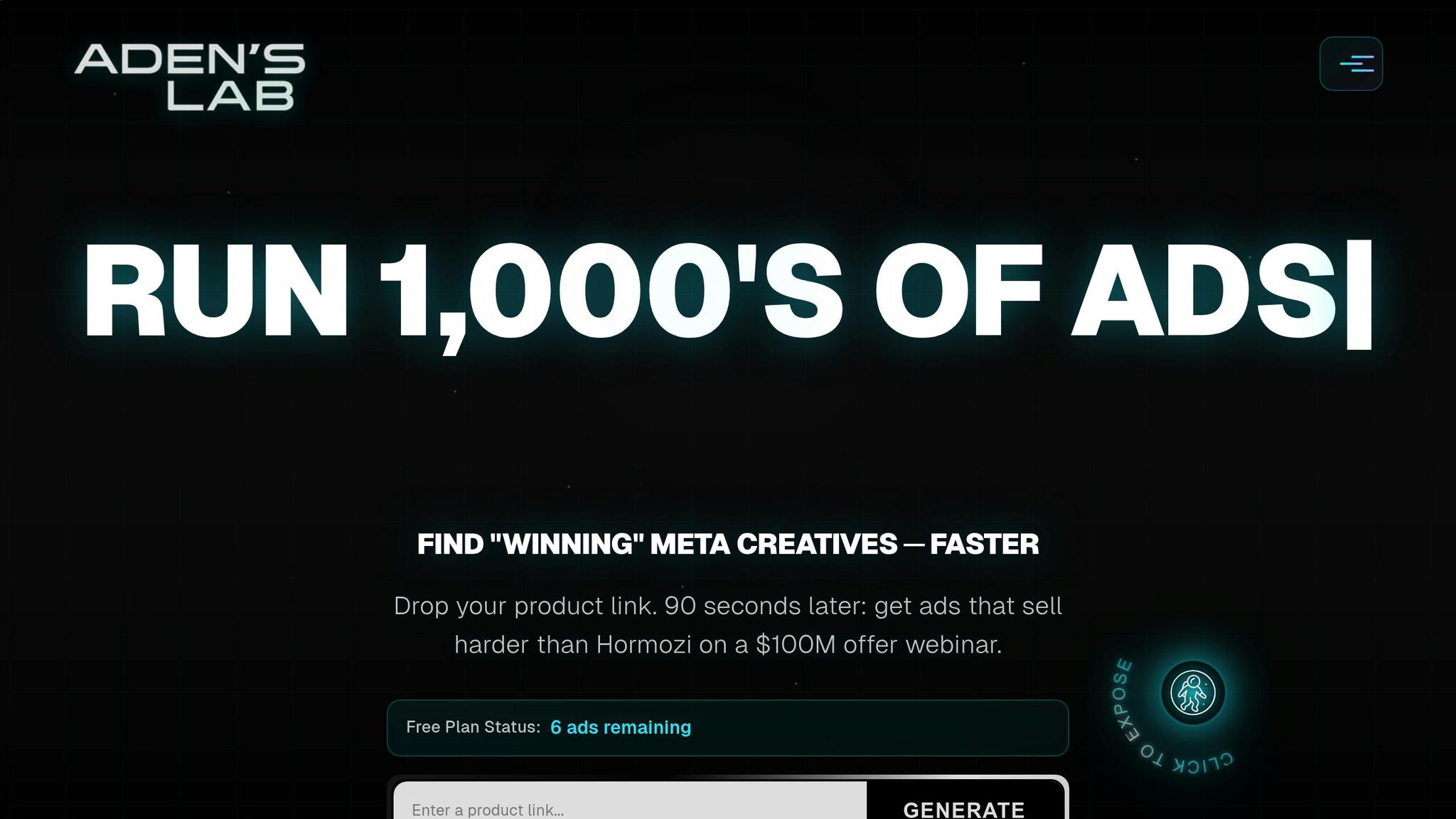
ADEN'S LAB simplifies the process of creating AI images that are both compliant with Meta’s policies and optimized for ad performance. This platform analyzes your product links and generates visuals designed to align with your landing page while meeting Meta’s compliance requirements.
By combining your well-crafted prompts with ADEN'S LAB’s automation, you can produce visuals quickly and at scale. The tool ensures that all generated images are ready for commercial use and adhere to Meta’s guidelines, saving time and reducing the risk of rejection.
To get started, connect your product catalog or input individual product URLs into the platform. Review the AI-generated options, select the ones that best match your campaign objectives, and launch your ads confidently. As you collect performance data, adjust your inputs to keep your creative fresh and aligned with compliance standards.
Meta's ad review system primarily uses automated tools to check ads against policies before they run.
Managing Risk and Maintaining Long-Term Compliance
Running AI-generated ads on Meta isn’t a “set it and forget it” process. It demands constant attention to account health, staying on top of policy updates, and analyzing performance data. Keeping your ads compliant isn’t just about avoiding penalties - it’s about protecting your ability to grow. A single violation might not seem like a big deal, but repeated issues can seriously impact your ability to advertise effectively.
Here’s how to safeguard your ad account and stay aligned with Meta’s evolving rules.
Ad Account Health and Policy Strikes
Meta keeps track of every policy violation tied to your account. When an ad gets rejected, it doesn’t just vanish - it leaves a mark on your compliance record. Think of it like your credit score: the more violations, the harder it becomes to maintain a good standing. Meta’s automated systems will scrutinize your ads more closely, and repeated violations can lead to restrictions on ad creation and delivery.
These restrictions can be costly, especially for e-commerce brands relying on seasonal campaigns or flash sales. Delays in ad approvals during critical windows can mean missed revenue opportunities. In worst-case scenarios, advertisers may face account suspensions, forcing them to start over with new accounts - losing valuable historical data, pixel tracking, and audience insights in the process.
Keeping a clean compliance record is key to protecting your ad investment. Whenever an ad is rejected, review the notice carefully. Meta provides specific reasons for each disapproval, which can help you spot patterns. For instance, if certain AI-generated images consistently get flagged - like those featuring specific product categories or demographics - you’ll know it’s time to adjust your creative approach.
Staying Updated on AI Policy Changes
Once your account health is in good shape, the next challenge is staying ahead of Meta’s ever-evolving policies on AI-generated content. What’s allowed today might require additional disclosures or face new restrictions tomorrow. For example, Meta has already introduced rules requiring labels for AI-altered content, and these requirements are likely to expand as AI tools become more advanced.
Make it a habit to monitor Meta’s official updates and adjust your internal processes accordingly. When new policies are announced, they often come with deadlines - typically 30 to 90 days for implementation. Missing these deadlines could lead to sudden rejections of previously approved ads.
Pay close attention to updates around synthetic media, deepfakes, and disclosure rules. As AI-generated content becomes more sophisticated, platforms are tightening transparency requirements. For example, Meta might require you to disclose when an ad features AI-generated people or scenarios, especially in sensitive areas like health, finance, or politics.
Act quickly when policies change. Update your internal compliance guidelines immediately and ensure your creative team is informed. If you’re using AI tools to generate ads at scale, adjust your prompts to meet the new standards. Don’t wait for rejections to start making changes - proactively integrating updates can save you time and resources.
Document all updates in your internal guidelines, including effective dates, specific requirements, and examples of how they apply to your ads. This documentation is invaluable for training new team members and explaining compliance decisions to stakeholders.
Using Data to Improve Compliance and Performance
Your ad performance data can be a treasure trove of insights for refining both your creative strategy and compliance processes. Build a dashboard or spreadsheet to track each AI-generated ad, noting its approval status, time to approval, and performance metrics like click-through and conversion rates. Look for trends in what gets approved quickly and what faces delays or rejections.
Analyze the common traits of your top-performing, approved ads. Pay attention to details like composition, color schemes, product presentation, and background settings. These insights can help you create a library of proven visual styles that align with Meta’s policies and resonate with your audience.
Test variations to find what works best. Once you identify a successful ad format, create multiple versions with slight tweaks to the AI-generated imagery. A/B testing these variations can help you pinpoint which elements contribute to both compliance and performance.
Keep a close eye on rejection reasons over time. If you notice a spike in flagged content related to specific themes or products, it could indicate that Meta is tightening enforcement in those areas - even before an official announcement. Your data can serve as an early warning system for shifts in policy interpretation.
Leverage tools like ADEN'S LAB to scale your testing efforts. This platform generates Meta-optimized visuals designed to meet compliance standards, allowing you to quickly produce and test multiple variations. Use the insights from these tests to refine your creative strategy and improve your AI prompt templates.
Review your compliance and performance data regularly - monthly at a minimum. Track metrics like the percentage of ads approved on the first try, average time to approval, and how approval speed correlates with ad performance. Accounts with higher approval rates often see better campaign results because their ads go live faster and face fewer delivery interruptions.
Conclusion
Using AI-generated images in Meta ads isn't about picking sides between creativity and compliance - it's about excelling at both. Brands that succeed over time are those that deeply understand Meta's policies, know which visual elements could trigger issues, and develop systems to create ads that not only get approved quickly but also perform well. Even small mistakes can have a big impact on your campaign's success, so attention to detail is key.
Meta's automated review systems are always evolving, meaning what worked a month ago might not pass today. A single policy violation can delay ad approvals, but repeated problems can hurt your account health, limiting your ability to scale campaigns during crucial sales windows. The consequences of non-compliance go beyond just rejected ads - they can include lost revenue, reduced ad delivery, or even account suspension. The advertisers who succeed are those who stay informed, adapt swiftly, and use data to refine both their compliance efforts and creative strategies.
The key is to treat compliance as a competitive advantage. Begin by thoroughly understanding Meta's rules for AI-generated content, especially around transparency and disclosure. For example, Meta may add "AI info" labels for major edits or photorealistic images. Ads related to social issues, elections, or politics require upfront disclosure of third-party AI tools.
Shape your creative strategy around what consistently gets Meta's approval. Use product-focused visuals that are clear and accurate. If your ads feature people, avoid anything that could be seen as misleading or exploitative. Make sure your ad visuals align with your landing pages so customers get exactly what they expect. These aren't just compliance measures - they also build trust and improve conversion rates. This combination of precision and policy adherence is the backbone of successful Meta ad campaigns and paves the way for leveraging advanced tools effectively.
Platforms like ADEN'S LAB can help you create Meta-compliant visuals at scale. This tool is designed to produce ads that meet Meta’s requirements, enabling you to test multiple variations quickly. Faster testing means quicker insights, which can lead to better campaign performance and lower customer acquisition costs.
Keep detailed records of everything. Document your prompts, the platforms you use, and any edits made to AI-generated images. This not only protects you but also helps refine your process over time. Monitor your approval rates, track rejection reasons, and analyze performance metrics to identify patterns and make adjustments before minor issues escalate.
The goal isn’t just to avoid disapprovals - it’s to build a system that allows you to scale confidently while maintaining the account health that ensures long-term success. With the right approach, compliance becomes more than a necessity - it becomes a driver of growth and innovation.
FAQs
How do I make sure my AI-generated images meet Meta's ad policies?
To make sure your AI-generated images meet Meta's ad policies, start by carefully reviewing their Advertising Standards and Terms of Service. Ads created or heavily altered with AI tools need to stick to these rules to avoid problems like misleading visuals, banned imagery, or other policy breaches.
Meta might tag ads produced with its generative AI tools, so it’s crucial to use clear, accurate visuals that fit their guidelines. Steer clear of overly edited or deceptive images that could raise red flags. Instead, aim for eye-catching designs that follow the rules to boost both approval rates and ad performance.
What should I do if Meta keeps rejecting my AI-generated ad images?
If Meta keeps rejecting your AI-generated ad images, the first step is to carefully review their Advertising Standards. This will help you pinpoint any potential compliance issues. Make sure your images align with their rules, including content guidelines, text-to-image ratios, and quality requirements.
If you're still facing issues, you can request a review directly through the Account Quality section in your Meta account. This gives Meta the chance to reassess your ad and explain why it was flagged. By following these steps, you can create ad visuals that not only comply with Meta’s policies but also perform well.
How can ADEN'S LAB help create AI-generated ads that comply with Meta's guidelines?
ADEN'S LAB makes crafting AI-generated ads for Meta platforms a breeze. With its advanced tools and built-in safeguards, it ensures your ad creatives comply with Meta's policies, minimizing the chances of rejection.
By using ADEN'S LAB, you can create visually appealing and engaging ads while steering clear of common pitfalls like misleading claims, unsuitable imagery, or policy breaches. This not only streamlines the process but also boosts the effectiveness of your ads on Meta platforms.
Your next ad batch starts here
Finish with a ready-to-test ad batch
Paste your website to generate static creatives. Drop the link → get ads in about 90 seconds → upload them to Meta → scale.
Free to try No prompt writing